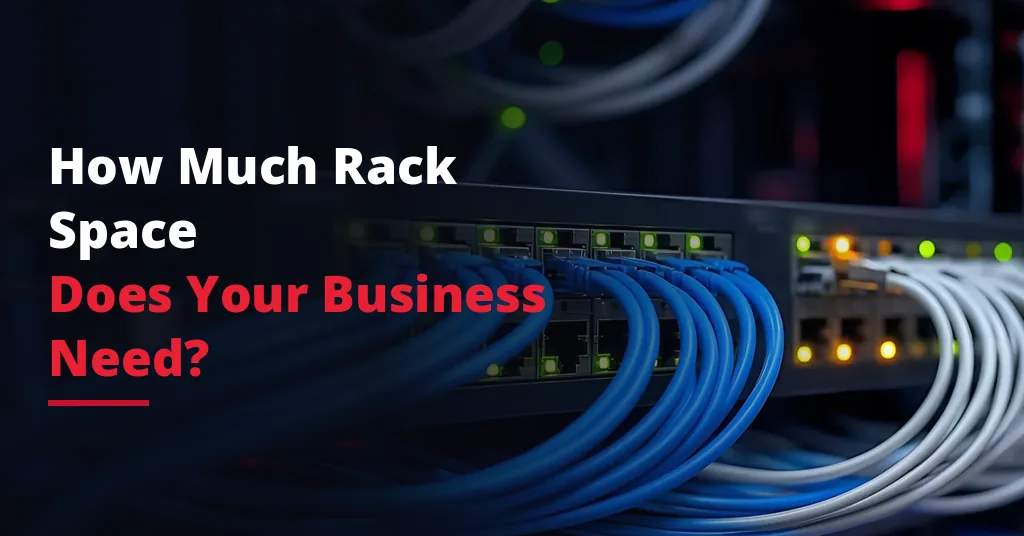
Choosing the right amount of rack space is one of the most important decisions when moving infrastructure into a data center.
Too little rack space can limit growth, create cabling problems, increase heat concentration, and make future upgrades more difficult. Too much rack space may lead to unnecessary cost if the business does not need it yet.
The right answer depends on your equipment, power requirements, cooling needs, cabling, connectivity, security expectations, and future growth plans.
For businesses evaluating colocation, private racks, private cages, or data center hosting options, rack space planning should happen before equipment is moved.
What Is Rack Space in a Data Center?
Rack space refers to the physical space used to house servers, storage systems, firewalls, switches, backup appliances, and other IT equipment inside a data center.
Most data center equipment is mounted inside standardized server racks or cabinets.
Rack space is commonly measured in rack units, often written as U. One rack unit equals 1.75 inches of vertical space.
For example:
- A 1U server uses one rack unit.
- A 2U server uses two rack units.
- A 4U storage device uses four rack units.
- A full rack commonly provides around 42U of usable vertical space.
Businesses can use a small portion of a rack, a half rack, a full rack, multiple racks, a private cage, or a private suite depending on their infrastructure needs.
Why Rack Space Planning Matters
Rack space is more than physical room for equipment.
It affects:
- Infrastructure cost
- Power planning
- Cooling requirements
- Cable management
- Equipment accessibility
- Network design
- Security
- Future expansion
- Remote hands support
- Disaster recovery readiness
A business that only counts the number of servers may underestimate its actual requirements.
For example, the company may need extra space for switches, firewalls, backup devices, patch panels, cable management, airflow, spare equipment, and future growth.
Good rack planning helps avoid overcrowding and reduces the chance of having to redesign the environment too soon. To fully evaluate your operational readiness before making the transition, it is helpful to reference a comprehensive data center migration checklist.
Start With a Complete Equipment Inventory
Before estimating rack space, create a full inventory of the equipment that will be placed in the data center.
This should include:
- Servers
- Storage devices
- Firewalls
- Routers
- Switches
- Backup appliances
- Patch panels
- Power distribution units
- Monitoring equipment
- Console equipment
- Spare hardware
- Vendor-managed devices
For each item, document:
- Rack unit size
- Power requirement
- Number of power supplies
- Network ports
- Cabling needs
- Heat output
- Weight
- Depth
- Business purpose
- Criticality
This inventory gives the business a realistic view of the physical space needed. If you are preparing for the physical move itself, learning how to move servers to a colocation facility can streamline your preparation.
Understand Rack Units
Rack units help businesses estimate how much vertical space their equipment will occupy.
A server rack is divided into vertical units. Each piece of rack-mounted equipment uses a certain number of units.
Common examples include:
- 1U servers
- 2U servers
- 4U storage systems
- 1U switches
- 1U firewalls
- 2U backup appliances
A simple calculation might show that your equipment uses 20U of space. But that does not automatically mean a half rack is enough.
You may also need space for cable management, airflow, growth, patch panels, and easier maintenance. Understanding how much rack space your business needs requires looking past just the height of the chassis.
Shared Rack, Half Rack, Full Rack, or Private Cage?
Data center rack space can be offered in different formats.
A shared rack may be suitable for businesses with a small number of devices. The equipment is housed in a cabinet that may also contain equipment from other customers, depending on the provider’s setup and access controls.
A half rack can work for businesses with moderate infrastructure needs that do not require a full cabinet.
A full rack is suitable for companies with more equipment, stronger security preferences, or future expansion plans.
A private cage or suite may be better for businesses with multiple racks, stricter access requirements, compliance needs, or larger infrastructure environments.
Determining your exact layout comes down to weighing a private cage vs private suite setup, as well as knowing exactly when to move from shared rack to private cage options.
The right choice depends on the size and sensitivity of the environment.
When a Shared Rack May Be Enough
A shared rack may be appropriate if the business has limited infrastructure needs.
This may include:
- A few servers
- Basic network equipment
- Small backup appliance
- Limited power requirements
- No need for private physical separation
- Predictable growth
- Lower security complexity
Shared rack space can be cost-effective for small deployments, testing environments, backup infrastructure, or companies moving a limited number of systems offsite.
However, businesses should still confirm access controls, cabling standards, remote hands support, and security procedures.
When a Full Rack Makes More Sense
A full rack may be a better fit when the business needs more control and room to grow.
A full rack may make sense if the company has:
- Multiple servers
- Storage systems
- Firewalls and switches
- Backup infrastructure
- Higher power requirements
- More cabling complexity
- Need for cleaner organization
- Future expansion plans
- Stronger physical access preferences
A full rack gives the business more flexibility for equipment layout, cabling, and maintenance.
It can also reduce the chance of needing another migration or rack redesign in the near future.
When to Consider a Private Cage
A private cage may be appropriate when the business needs multiple racks or stronger physical separation.
Private cage environments are often used by:
- Enterprise organizations
- Healthcare providers
- Financial services companies
- Manufacturing businesses
- Multi-location companies
- Businesses with compliance requirements
- Companies with sensitive infrastructure
- Organizations expecting growth
A private cage can provide dedicated physical space for the business’s equipment while still using the data center’s power, cooling, connectivity, and security infrastructure.
Private cages are especially useful when infrastructure has become too large or too sensitive for standard rack space.
Rack Space and Power Requirements
Rack space planning must include power planning.
A rack may physically fit many devices, but the available power may limit how much equipment can actually be installed.
Businesses should review:
- Total power draw
- Power per server
- Redundant power supplies
- A and B power feeds
- Power distribution unit needs
- Circuit capacity
- Power growth
- Load balancing
- High-density equipment
A full rack does not always mean the business can fill every rack unit with equipment. Power and cooling must support the density. To maintain system availability, it’s vital to know what power redundancy is in a data center and how it safeguards your physical layout.
For high-density deployments, power planning may be more important than physical space.
Rack Space and Cooling Requirements
Servers and storage systems produce heat. The more equipment placed in a rack, the more cooling planning matters.
Cooling considerations include:
- Rack density
- Equipment airflow direction
- Hot aisle and cold aisle layout
- Cable obstruction
- Blank panels
- Temperature monitoring
- Cooling capacity
- Future growth
If equipment is packed too tightly or installed without airflow planning, hot spots can develop. This can reduce equipment reliability and increase the risk of downtime.
Reviewing resource material like data center cooling explained helps clarify how temperature impacts operations, ensuring your configuration aligns with standard data center uptime and redundancy parameters.
A good data center provider should help businesses understand how rack layout affects cooling and uptime.
Rack Space and Cabling
Cabling is often underestimated during rack planning.
Infrastructure may require:
- Network cables
- Fiber connections
- Power cables
- Console cables
- Cross-connects
- Patch panels
- Cable management arms
- Labeling systems
Poor cable management can make troubleshooting harder, restrict airflow, and complicate future changes.
Businesses should plan space for clean cabling, not just equipment.
This is especially important in full racks, private cages, and multi-rack environments.
Rack Space and Connectivity
Connectivity planning also affects rack space decisions.
A business may need room for:
- Firewalls
- Routers
- Switches
- Patch panels
- Carrier handoff equipment
- Cross-connect termination
- VPN equipment
- Cloud connectivity devices
- Redundant network paths
If the facility is carrier-neutral, the business may have more flexibility to connect with multiple network providers. However, that may also require careful planning for network hardware and cabling using dedicated connectivity solutions.
Connectivity should be planned before the rack layout is finalized.
Rack Space and Security
Different rack space options provide different levels of physical control.
Businesses should ask:
- Who can access the rack?
- Is the cabinet lockable?
- Is access logged?
- Are private cages available?
- Are visitor and vendor access procedures documented?
- Is remote hands access controlled?
- Are cameras and monitoring in place?
- Is compliance documentation available?
For businesses in regulated industries, physical security is paramount. It is crucial to evaluate what to look for in a secure data center facility alongside a thorough data center compliance checklist to verify safety.
If infrastructure supports sensitive data or critical systems, the business may need dedicated racks, private cages, or suites.
Rack Space and Remote Hands Support
Remote hands support should be considered during rack planning.
A clean, well-labeled rack makes it easier for data center technicians to assist with physical tasks such as:
- Rebooting equipment
- Checking indicator lights
- Verifying cables
- Replacing hardware
- Installing patch cables
- Inspecting devices
- Supporting troubleshooting
If the rack is overcrowded or poorly labeled, support tasks may take longer and create more risk.
Good rack organization supports faster response and easier maintenance.
Rack Space and Disaster Recovery
Rack space planning may also support disaster recovery.
Some businesses use data center rack space for:
- Backup servers
- Replication targets
- Disaster recovery appliances
- Standby infrastructure
- Network failover equipment
- Offsite storage systems
If disaster recovery solutions are part of the plan, the rack space should be sized to support recovery systems, not only day-to-day production equipment.
Businesses should also consider whether the recovery infrastructure may need to expand later.
Plan for Future Growth
Rack space should not be planned only around current equipment.
Businesses should consider future growth, such as:
- Additional servers
- More storage
- More users
- New applications
- Increased bandwidth
- Backup expansion
- Compliance requirements
- Business acquisitions
- New locations
- Disaster recovery improvements
If the business is already close to capacity on day one, it may need more space sooner than expected.
Planning for growth can prevent another move, rack redesign, or service disruption later.
Common Rack Space Planning Mistakes
Businesses often make rack planning mistakes when moving into a data center.
Common mistakes include:
- Counting only servers and not network equipment
- Ignoring power limits
- Ignoring cooling requirements
- Forgetting cable management space
- Not planning for future growth
- Choosing the lowest-cost rack option without considering operations
- Overcrowding cabinets
- Not documenting equipment
- Underestimating connectivity needs
- Not considering private cage requirements
- Failing to align rack space with compliance needs
Most of these issues can be avoided with a proper infrastructure review before signing an agreement that outlines explicit provider commitments, as detailed in our guide to a data center SLA explained.
How to Estimate Rack Space
A practical rack space estimate should include several steps.
- List every device that will be installed. Include servers, storage, network equipment, firewalls, backup systems, and patching hardware.
- Calculate the rack units required for each device.
- Add space for cable management, airflow, and maintenance access.
- Review power and cooling limits.
- Consider future growth.
- Decide whether shared rack, half rack, full rack, private cage, or private suite space is the best fit.
This approach gives the business a more accurate estimate than simply counting servers.
Rack Space Planning Checklist
Before choosing data center rack space, confirm:
- Equipment inventory is complete
- Rack unit requirements are calculated
- Network equipment is included
- Firewalls and security devices are included
- Backup appliances are included
- Patch panels and cabling are planned
- Power requirements are reviewed
- A and B power feed needs are understood
- Cooling requirements are reviewed
- Rack density is appropriate
- Future growth is included
- Remote hands access is practical
- Security requirements are documented
- Compliance needs are considered
- Connectivity requirements are planned
- Disaster recovery needs are included
- Private cage or suite needs are evaluated
This checklist helps businesses select rack space that supports operations, not just equipment placement.
Questions to Ask a Data Center Provider About Rack Space
Before choosing a provider, ask:
- What rack space options are available?
- Can we start with partial rack space and expand later?
- What is included with a full rack?
- Are private racks, cages, or suites available?
- How much power is available per rack?
- Are A and B power feeds available?
- How is cooling handled for higher-density racks?
- Are cross-connects available?
- Is the facility carrier-neutral?
- What remote hands support is available?
- How is rack access controlled?
- How are cabinets monitored?
- Can equipment be installed during migration?
- What happens if we outgrow our current rack space?
These questions help businesses compare providers more effectively.
How Much Rack Space Does Your Business Need?
The right amount of rack space depends on your infrastructure and growth plans.
A small business with a few servers may only need partial rack space. A growing business may need a full rack for better organization and expansion. A company with multiple racks, sensitive systems, or compliance requirements may need a private cage or suite.
The best choice balances current needs, cost, security, power, cooling, connectivity, and future growth.
Rack space should support the business’s infrastructure strategy, not limit it.
Plan Data Center Rack Space With Sierra Data Centers
Sierra Data Centers supports businesses with secure colocation, data center hosting, private infrastructure options, carrier-neutral connectivity, remote hands support, and disaster recovery planning.
Whether your organization needs partial rack space, a full cabinet, private cage space, or a larger industry-specific infrastructure solutions deployment, we can help evaluate your requirements and plan for growth.
If your business is reviewing data center rack space options across our regional coverage, reach out to us at our contact us page so we can help you choose an environment that supports reliability, security, and scalability.