For regulated businesses, choosing a data center is not only an infrastructure decision. It is also a risk, security, documentation, and compliance decision.
Healthcare providers, financial services companies, manufacturers, enterprise organizations, insurance companies, legal firms, and other regulated businesses often need stronger controls around how infrastructure is hosted, accessed, monitored, protected, and documented.
A data center does not automatically make a business compliant. Compliance still depends on the organization’s own systems, policies, applications, users, vendors, and data handling practices. However, the right data center environment can support compliance efforts by providing stronger physical security, controlled access, reliable infrastructure, documented procedures, backup support, and disaster recovery planning.
This data center compliance checklist explains what regulated businesses should review before choosing a colocation, hosting, private cage, private suite, or disaster recovery provider.
Why Compliance Matters When Choosing a Data Center
Regulated businesses often handle sensitive data, critical systems, or operational processes that require stronger protection.
This may include:
- Patient information
- Financial records
- Customer data
- Employee data
- Manufacturing systems
- Payment-related systems
- Legal records
- Insurance records
- Business-critical applications
- Backup and recovery systems
If infrastructure is hosted in an environment with weak physical security, poor access control, limited documentation, unreliable power, or unclear provider responsibilities, the business may face unnecessary compliance and operational risk.
A compliant data center strategy should help the business answer key questions:
- Who can access the infrastructure?
- How is access approved and logged?
- How is the facility monitored?
- How are systems protected from power and cooling failures?
- How are backups and disaster recovery handled?
- What documentation is available?
- What responsibilities belong to the provider?
- What responsibilities remain with the business?
These questions should be answered before the infrastructure is moved. Reviewing what to look in a secure data center facility is a good starting point.
Compliance Starts With Shared Responsibility
One of the most important things to understand is that data center compliance is usually a shared responsibility.
The data center provider may be responsible for:
- Physical facility security
- Power infrastructure
- Cooling infrastructure
- Environmental monitoring
- Facility access control
- Visitor management
- Rack, cage, or suite access procedures
- Remote hands procedures
- Facility documentation
- Service level commitments
The customer may still be responsible for:
- Operating systems
- Applications
- User permissions
- Data security
- Encryption
- Backup configuration
- Firewall rules
- Security monitoring
- Compliance policies
- Vendor management
- Incident response
- Internal access controls
The exact responsibility split depends on the service model. Colocation, dedicated hosting, managed hosting, and disaster recovery services may each involve different levels of provider responsibility.
Before signing an agreement, regulated businesses should clearly understand who is responsible for what, and it helps to review a data center SLA explained to see how these responsibilities are typically documented.
Colocation Compliance vs Hosting Compliance
Compliance expectations may differ depending on whether the business uses colocation services or data center hosting services.
In colocation, the business usually owns and manages its own servers, storage, firewalls, and applications. The data center provides the physical environment, including power, cooling, physical security, space, and connectivity options.
In hosting, the provider may supply more of the infrastructure. If the hosting is managed, the provider may also handle certain operational tasks such as monitoring, maintenance, support, or backups, depending on the agreement.
This difference matters because a business cannot evaluate compliance properly without understanding the service model.
For colocation, review the facility controls and customer responsibilities carefully.
For managed hosting, review both facility controls and operational responsibilities.
1. Review Physical Security Controls
Physical security is one of the most important parts of data center compliance.
A regulated business should know how the facility prevents unauthorized physical access to infrastructure.
Review whether the facility includes:
- Controlled building access
- Secure data floor access
- Badge or identity verification
- Security cameras
- Visitor check-in procedures
- Vendor escorting
- Access logs
- Cabinet locks
- Private cage options
- Private suite options
- Restricted areas
- Documented access procedures
Physical security should exist in layers. It should not rely on only one locked door or one access point.
Businesses should ask how access is controlled from the facility entrance all the way to the rack, cage, or suite.
2. Confirm Access Control Procedures
Access control procedures should be documented and consistent.
Regulated businesses should review:
- Who can request access
- Who can approve access
- How identities are verified
- How access lists are maintained
- How former employees are removed
- How visitor access is handled
- How vendor access is approved
- How emergency access works
- Whether access logs are available
- Whether access records can support audits
Access procedures are especially important when multiple parties may interact with the infrastructure, including internal IT teams, managed service providers, hardware vendors, network carriers, compliance reviewers, and remote hands technicians.
The business should avoid unclear or informal access processes.
3. Evaluate Rack, Cage, and Suite Security
Different infrastructure spaces provide different levels of physical separation.
Regulated businesses should evaluate whether their infrastructure belongs in:
- Shared rack space
- Dedicated cabinet
- Full rack
- Private cage
- Private suite
A small deployment may work in a dedicated cabinet. A larger or more sensitive environment may need a private cage or suite, and reviewing when to move from shared rack to private cage can help clarify the decision.
Private cages and suites can support stronger access control, better equipment separation, cleaner documentation, and more room for growth.
Businesses should consider private infrastructure space if they have:
- Compliance requirements
- Sensitive data
- Multiple racks
- Vendor access needs
- Strict access policies
- Audit requirements
- Business-critical systems
- Long-term growth plans
Physical separation can make compliance operations easier to manage.
4. Review Surveillance and Monitoring
A compliant data center environment should have strong monitoring around the facility.
This may include:
- Security cameras
- Access monitoring
- Environmental monitoring
- Power monitoring
- Cooling monitoring
- Network monitoring, where applicable
- Facility alarms
- Incident escalation procedures
Businesses should ask:
- What areas are monitored?
- Are entry points monitored?
- Are data halls monitored?
- Are private cage or suite areas monitored?
- How long are logs or records retained?
- Who can review monitoring records?
- How are alerts handled?
- How are incidents documented?
Monitoring supports accountability and helps detect problems early.
5. Ask About Compliance Documentation
Regulated businesses often need documentation to support internal reviews, audits, vendor assessments, or customer security questionnaires.
Before choosing a provider, ask what documentation may be available.
This may include:
- Facility security procedures
- Access control procedures
- Visitor management policies
- Remote hands procedures
- Maintenance documentation
- Incident communication procedures
- Environmental monitoring details
- Power and cooling design information
- SLA documentation
- Service descriptions
- Provider responsibility documents
- Compliance or audit-related materials, if available
The provider does not need to share every internal document publicly, but it should be able to explain its controls clearly and provide appropriate documentation during evaluation.
6. Review Provider Certifications and Audit Support
Some data center providers may maintain certifications, audit reports, or compliance-related documentation. The specific documents available depend on the provider, facility, services, and customer requirements.
Regulated businesses should ask:
- What certifications or audit reports are available?
- Are they facility-specific?
- Are they service-specific?
- How often are they reviewed or renewed?
- Can customers review relevant documentation under appropriate terms?
- Do the documents apply to colocation, hosting, or both?
- What controls are included?
- What controls remain the customer’s responsibility?
Do not assume that a certification covers every service or every customer responsibility. The scope matters.
7. Clarify Provider and Customer Responsibilities
Compliance gaps often happen when responsibilities are unclear.
Before moving infrastructure into a data center, businesses should define:
- Who manages hardware?
- Who manages operating systems?
- Who manages applications?
- Who manages backups?
- Who manages firewall rules?
- Who monitors security alerts?
- Who handles incident response?
- Who applies patches?
- Who approves physical access?
- Who handles vendor coordination?
- Who documents changes?
- Who tests recovery plans?
This should be clear in the agreement, service description, or internal responsibility matrix.
If the business assumes the provider is handling something that is not included, compliance and security risks can increase.
8. Review Data Protection Requirements
The data center protects the physical environment, but the business still needs to protect its data.
Depending on the organization’s requirements, data protection may involve:
- Encryption
- Access control
- Backup policies
- Retention policies
- Logging
- Monitoring
- Secure data transfer
- Vendor controls
- Data classification
- Incident response procedures
Businesses should review how the data center environment supports these needs.
For example, secure physical access, private infrastructure space, network connectivity options, and disaster recovery support can all contribute to a stronger data protection strategy.
9. Confirm Backup and Recovery Planning
Backups are a major part of compliance and business continuity.
Regulated businesses should confirm:
- What systems are backed up
- Where backups are stored
- How backups are protected
- How often backups run
- How backup success is monitored
- How restoration is tested
- Who owns backup responsibility
- Whether offsite backups are used
- Whether backup infrastructure is hosted in the data center
- Whether recovery procedures are documented
A backup strategy should not exist only on paper. It should be tested regularly.
For many regulated businesses, the ability to recover systems and data is just as important as the ability to protect them.
10. Review Disaster Recovery Requirements
Disaster recovery planning helps businesses restore operations after a major outage, failure, attack, or facility issue.
A data center can support disaster recovery by providing:
- Offsite infrastructure
- Backup hosting
- Replication targets
- Secure recovery space
- Carrier-neutral connectivity
- Power redundancy
- Cooling redundancy
- Remote hands support
- Physical security
- Recovery testing support
Businesses should define:
- Recovery time objective
- Recovery point objective
- Critical systems
- Recovery order
- Communication process
- Testing schedule
- Roles and responsibilities
- Failover procedures
- Rollback procedures
Disaster recovery should be planned before an incident occurs, ideally through a formal disaster recovery solutions program rather than an informal backup arrangement.
11. Evaluate Power Redundancy
Power reliability is important for compliance because infrastructure availability often supports regulated operations.
A data center should be reviewed for:
- Utility power design
- UPS systems
- Battery backup
- Backup generators
- Power distribution
- A and B power feeds
- Power monitoring
- Maintenance procedures
- Emergency power processes
Regulated businesses should ask how power events are handled, how customers are notified, and what commitments are included in the SLA. Understanding what is power redundancy in a data center can help frame these questions.
Power redundancy helps reduce the risk of downtime caused by utility or facility power problems, which ties directly into overall data center uptime and redundancy.
12. Evaluate Cooling and Environmental Controls
Cooling and environmental controls protect equipment from overheating and environmental damage.
Businesses should review:
- Dedicated cooling systems
- Cooling redundancy
- Temperature monitoring
- Humidity control
- Airflow design
- Hot spot detection
- Environmental alerts
- Maintenance procedures
- Backup power for cooling systems
For regulated businesses, environmental stability matters because hardware failure can affect critical systems, data access, and recovery. A deeper look at data center cooling explained can help clarify what to expect.
Cooling should be evaluated alongside power, rack density, and growth planning.
13. Review Network and Connectivity Controls
Connectivity is essential for business operations, especially when users, branches, applications, cloud services, or customers depend on access to systems.
Regulated businesses should evaluate:
- Carrier availability
- Carrier-neutral connectivity
- Redundant network paths
- Cross-connect procedures
- Private network options
- Cloud connectivity
- VPN requirements
- Firewall placement
- Network equipment security
- Connectivity failover planning
If the business depends on a single carrier or single network path, it may still have a continuity risk even if the facility itself is secure.
Carrier-neutral facilities can help businesses build more flexible and redundant strategies through robust connectivity solutions.
14. Review Remote Hands Procedures
Remote hands support can help businesses manage infrastructure when internal staff are not on-site.
However, for regulated businesses, remote hands must be controlled and documented.
Ask:
- Who can request remote hands support?
- How are requests verified?
- What tasks are included?
- What tasks are excluded?
- Are tasks logged?
- Can photos or updates be provided?
- How is access to cages or suites authorized?
- How are emergency requests handled?
- Are remote hands activities available for review?
Remote hands support should improve response time without weakening access controls.
15. Review Incident Communication
When a facility, network, power, or security issue occurs, communication matters.
Regulated businesses should understand:
- How incidents are reported
- Who receives notifications
- How quickly notifications are sent
- What details are included
- How often updates are provided
- How escalations work
- Whether post-incident summaries are available
- How maintenance events are communicated
Clear communication helps the business meet internal reporting, customer communication, and operational response requirements.
16. Review SLA Commitments
The service level agreement should be part of the compliance review.
The SLA may define:
- Uptime commitments
- Power availability
- Network availability
- Support response times
- Maintenance notification
- Service credits
- Exclusions
- Customer responsibilities
- Provider responsibilities
Businesses should read the SLA carefully and confirm what is covered.
A high uptime claim is not enough. The business needs to know what the commitment applies to and what is excluded.
17. Review Maintenance Procedures
Data center infrastructure requires maintenance. The question is how that maintenance is planned, communicated, and documented.
Businesses should ask:
- How much notice is provided for planned maintenance?
- Can maintenance affect customer services?
- Are maintenance windows excluded from SLA calculations?
- How is emergency maintenance handled?
- Are customers notified after maintenance is completed?
- Are maintenance records available when needed?
- Are redundant systems used to reduce impact?
Maintenance should strengthen reliability, but regulated businesses need transparency around the process.
18. Review Vendor and Third-Party Access
Regulated businesses often rely on third-party vendors for hardware, software, network, security, or managed services.
The data center should have a process for third-party access.
Review:
- Vendor approval process
- Escort requirements
- Access logging
- Time-limited access
- Area-specific access
- Emergency access
- Vendor identity verification
- Remote hands coordination
- Hardware delivery and pickup procedures
Vendor access should not be informal. It should be controlled, documented, and aligned with the business’s security requirements.
19. Review Hardware Handling and Chain of Custody
Some businesses may need stronger controls around hardware shipping, receiving, installation, removal, or disposal.
Ask:
- Can the data center receive hardware shipments?
- How is received equipment documented?
- Who can pick up hardware?
- Are deliveries stored securely?
- Are removal procedures documented?
- Can remote hands assist with hardware handling?
- Are serial numbers or asset tags recorded?
- How is damaged equipment handled?
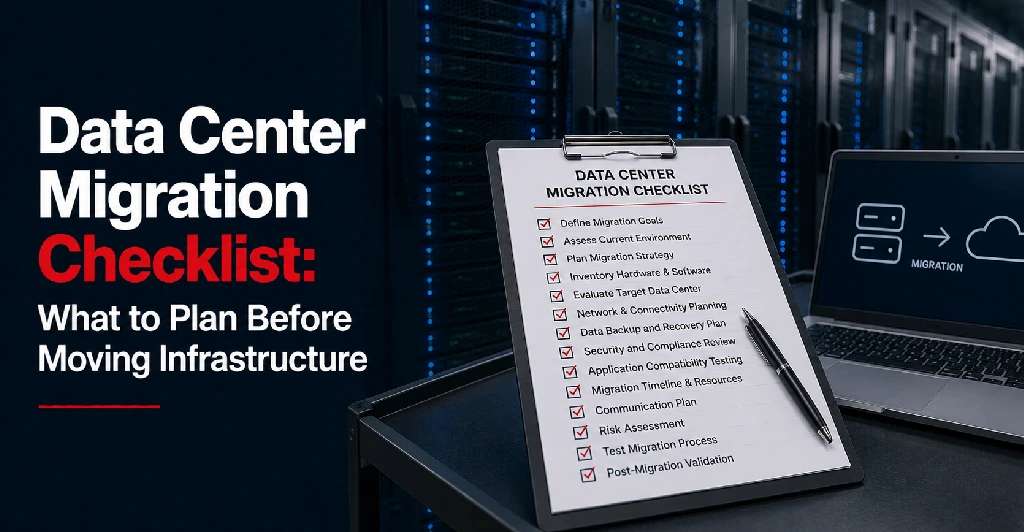
For regulated businesses, hardware movement should be traceable and controlled, particularly during a data center migration or when following guidance on how to move servers to a colocation facility.
20. Review Scalability and Future Compliance Needs
Compliance needs can grow as the business grows.
A data center environment should support future requirements such as:
- More racks
- Private cage expansion
- Private suite migration
- Additional power
- More bandwidth
- Redundant carriers
- Additional backup infrastructure
- Disaster recovery growth
- More access controls
- More documentation needs
Choosing a facility that only solves today’s requirement may create another migration later. This is especially relevant for growing organizations, including those evaluating how to choose data center for multi-location businesses.
Businesses should evaluate whether the provider can support long-term infrastructure and compliance growth.
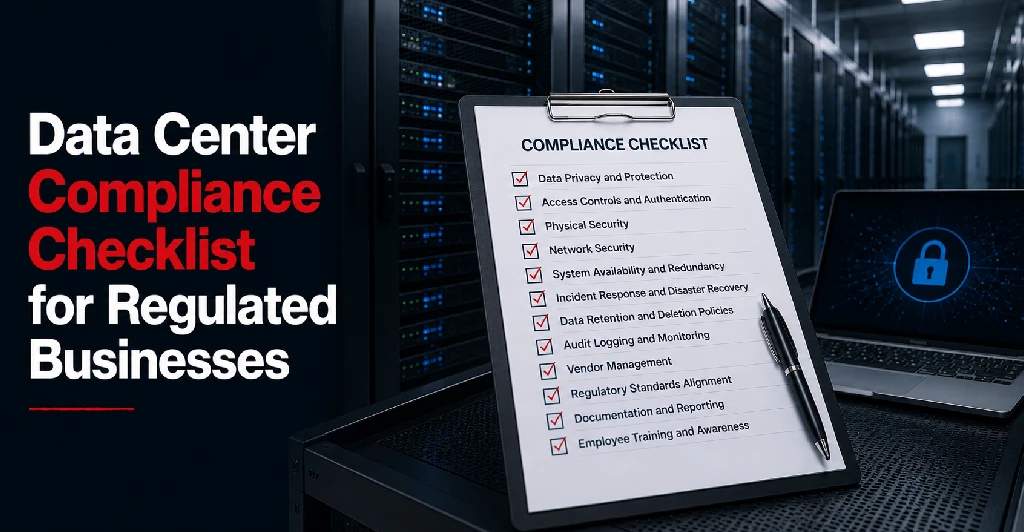
Data Center Compliance Checklist
Before choosing a data center provider, regulated businesses should review:
- Physical security controls
- Facility access procedures
- Visitor management
- Vendor access process
- Access logs
- Rack, cage, or suite security
- Surveillance and monitoring
- Remote hands authorization
- Compliance documentation
- Audit support
- Provider certifications, if applicable
- Shared responsibility model
- Data protection support
- Backup planning
- Disaster recovery planning
- Power redundancy
- Cooling redundancy
- Environmental monitoring
- Carrier-neutral connectivity
- Network redundancy
- Cross-connect procedures
- Incident communication
- SLA commitments
- Maintenance procedures
- Hardware handling process
- Future expansion capacity
This checklist helps businesses evaluate whether a data center environment supports their security, reliability, and compliance needs.
Compliance Questions to Ask a Data Center Provider
Before signing an agreement, ask:
- What facility security controls are in place?
- How is access approved and logged?
- Are visitor and vendor procedures documented?
- What private rack, cage, or suite options are available?
- What monitoring systems are used?
- What documentation can be provided during review?
- Are certifications or audit reports available?
- What responsibilities belong to the provider?
- What responsibilities remain with the customer?
- How are remote hands requests authorized?
- How are incidents communicated?
- What does the SLA cover?
- How are backups and disaster recovery supported?
- What power redundancy is available?
- What cooling redundancy is available?
- Is the facility carrier-neutral?
- Can the environment support future compliance needs?
These questions help regulated businesses compare providers more carefully and avoid assumptions.
Choose a Data Center That Supports Compliance Readiness
A data center does not replace internal compliance programs, security policies, legal review, or technical controls. But the right facility can make compliance readiness stronger by supporting secure hosting, controlled access, infrastructure reliability, backup planning, and documented operations.
For regulated businesses, the right provider should offer more than rack space. It should provide a secure environment that supports business continuity, accountability, and long-term infrastructure planning.
Plan a Compliance-Ready Infrastructure Environment With Sierra Data Centers
Sierra Data Centers supports businesses with secure colocation, data center hosting, private cages, private suites, carrier-neutral connectivity, remote hands support, and disaster recovery planning.
For healthcare organizations, financial services companies, manufacturers, enterprise teams, and other regulated businesses, Sierra Data Centers can help evaluate infrastructure requirements around security, uptime, access control, connectivity, backup planning, and growth across its data center infrastructure.
If your business is reviewing data center options for regulated infrastructure, contact Sierra Data Centers to help you plan a secure and reliable environment that supports your compliance needs.