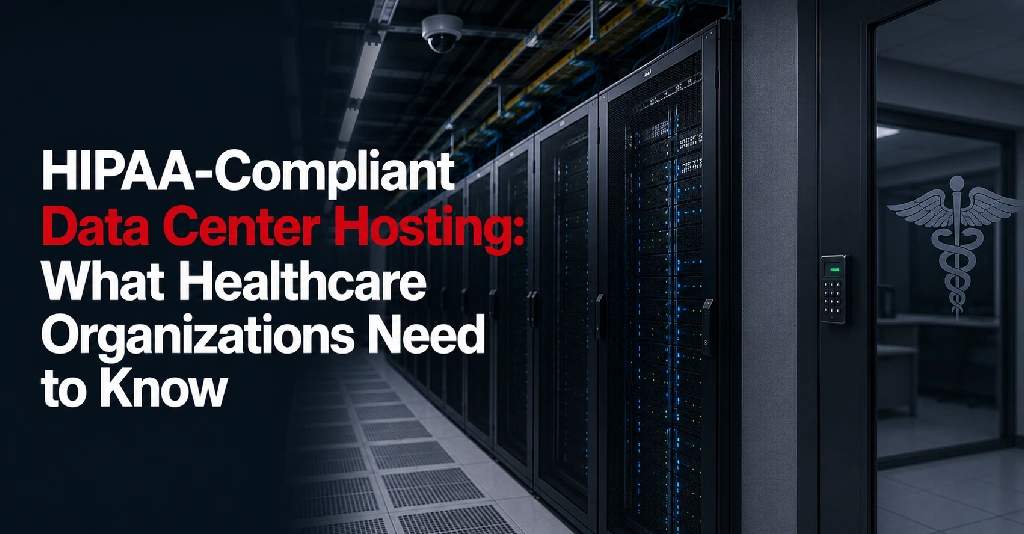
Healthcare organizations rely on secure, available infrastructure to support patient care, clinical systems, administrative platforms, billing, communication, imaging, backups, and disaster recovery. When these systems involve electronic protected health information, hosting decisions must be made carefully.
HIPAA-compliant data center hosting is not just about placing servers in a secure facility. It involves understanding responsibilities, access controls, documentation, technical safeguards, physical safeguards, backup planning, disaster recovery, and the relationship between the healthcare organization and its infrastructure provider.
A data center alone does not automatically make a healthcare organization HIPAA compliant. However, the right data center environment can support HIPAA compliance efforts by providing secure physical infrastructure, controlled access, reliable uptime, environmental protection, connectivity options, and documented support processes.
This guide explains what healthcare organizations should know before choosing a HIPAA-compliant data center or hosting provider.
What Does HIPAA-Compliant Data Center Hosting Mean?
HIPAA-compliant data center hosting refers to hosting infrastructure in an environment that supports the protection of electronic protected health information, also known as ePHI.
The HIPAA Security Rule establishes standards for protecting ePHI through administrative, physical, and technical safeguards. These safeguards are meant to protect the confidentiality, integrity, and availability of ePHI created, received, used, or maintained by covered entities and business associates.
In a data center context, this may involve:
- Physical access control
- Facility security
- Environmental protection
- Power redundancy
- Cooling redundancy
- Network security
- Backup and recovery planning
- Access documentation
- Business associate agreements
- Incident communication
- Support procedures
- Clear provider and customer responsibilities
The data center is only one part of the compliance picture. The healthcare organization must still manage its own systems, policies, users, applications, data access, encryption, monitoring, and compliance obligations. Reviewing what to look in a secure data center facility is a good place to start.
Why Healthcare Organizations Need Secure Hosting
Healthcare systems often support sensitive and time-critical operations.
This may include:
- Electronic health records
- Patient portals
- Billing systems
- Scheduling platforms
- Imaging systems
- Lab systems
- Internal file storage
- Telehealth support systems
- Backup infrastructure
- Disaster recovery systems
- Multi-location clinic connectivity
- Remote workforce access
If these systems become unavailable or poorly protected, the impact can affect patient care, operations, compliance, and trust.
A secure data center infrastructure can help healthcare organizations reduce risks associated with office server rooms, weak physical security, unreliable power, inadequate cooling, limited bandwidth, or poor disaster recovery planning.
HIPAA Compliance Is a Shared Responsibility
One of the most important things to understand is that HIPAA compliance is a shared responsibility.
A data center or hosting provider may help protect the physical and infrastructure environment, but the healthcare organization remains responsible for many compliance-related decisions.
The provider may be responsible for:
- Facility access controls
- Physical security
- Power and cooling infrastructure
- Environmental monitoring
- Data center operations
- Remote hands procedures
- Hosting infrastructure, depending on the service
- Incident communication
- Documentation related to provider controls
The healthcare organization may remain responsible for:
- Application security
- User access permissions
- Password policies
- Role-based access controls
- Encryption decisions
- Data retention policies
- Backup configuration
- Risk analysis
- Security policies
- Employee training
- Vendor management
- Incident response
- Compliance oversight
The exact responsibility split depends on the service model. Colocation, dedicated hosting, managed hosting, cloud hosting, and disaster recovery services may each create different responsibilities, and reviewing a data center SLA explained can help clarify how these are typically documented.
Business Associate Agreements Matter
If a hosting provider creates, receives, maintains, or transmits ePHI on behalf of a covered entity or business associate, the provider may be considered a business associate under HIPAA. HHS guidance states that when a covered entity uses a cloud service provider to create, receive, maintain, or transmit ePHI, the parties must enter into a HIPAA-compliant business associate agreement, commonly called a BAA.
A BAA helps define how the provider may use or disclose protected health information and requires the business associate to safeguard it appropriately. HHS also explains that business associate contracts are used to clarify and limit permitted uses and disclosures of PHI.
Healthcare organizations should not assume that a provider is appropriate for HIPAA-related hosting unless BAA expectations are clearly reviewed.
Questions to ask include:
- Will the provider sign a BAA?
- What services are covered by the BAA?
- Does the BAA apply to colocation, hosting, backup, or disaster recovery?
- What safeguards does the provider commit to?
- What responsibilities remain with the healthcare organization?
- How are subcontractors handled?
- How are incidents reported?
- How are termination and data return handled?
The BAA should be reviewed by the organization’s legal, compliance, or security team before moving ePHI into the environment.
Colocation vs Hosting for Healthcare Infrastructure
Healthcare organizations may use different data center service models depending on their needs.
In colocation, the healthcare organization owns and manages its servers, storage, firewalls, and applications. The data center provides the facility environment, including power, cooling, physical security, rack space, connectivity options, and support services.
In data center hosting, the provider may supply the server infrastructure. Depending on the agreement, the provider may also offer management, monitoring, patching, backup, or support services.
The difference matters because it affects responsibility.
With colocation, the healthcare organization typically has more control over hardware and software but also more responsibility.
With managed hosting, the provider may take on more operational responsibility, but the organization must clearly understand what is included and what is not.
Physical Safeguards in a Data Center
Physical safeguards are especially relevant when evaluating a healthcare data center.
HHS describes physical safeguards as physical measures, policies, and procedures used to protect electronic information systems and related buildings and equipment from natural and environmental hazards and unauthorized intrusion. The standards include facility access controls, workstation use, workstation security, and device and media controls.
For a data center, healthcare organizations should review:
- Facility access controls
- Badge or identity verification
- Visitor check-in procedures
- Vendor escort procedures
- Surveillance systems
- Cabinet locks
- Private cage options
- Private suite options
- Access logs
- Hardware receiving and removal procedures
- Remote hands authorization
- Environmental protection
- Fire detection and suppression
Physical security should be evaluated in layers, from the facility entrance to the specific rack, cage, or suite where systems are hosted.
Facility Access Controls
Facility access control is one of the most important evaluation points.
Healthcare organizations should ask:
- Who can enter the facility?
- Who can access the data floor?
- Who can access customer racks, cages, or suites?
- How is identity verified?
- Are visitors escorted?
- Are vendor visits approved in advance?
- Are access logs maintained?
- Can access records support audits?
- How are former employees removed from access lists?
- How are emergency access requests handled?
Access control should be documented, not informal. Healthcare infrastructure often requires clear authorization, logging, and accountability.
Private Cages and Suites for Healthcare Organizations
Some healthcare organizations may be able to use dedicated cabinets or full racks. Others may need private cages or private suites.
Private cages and suites can support stronger physical separation, better access control, and more organized infrastructure management.
A private cage or suite may be appropriate when the organization has:
- Multiple racks
- Sensitive infrastructure
- Compliance requirements
- Strict access policies
- Multiple vendors
- Backup infrastructure
- Disaster recovery systems
- Multi-location network equipment
- Long-term growth plans
Private environments can make it easier to separate production systems, backup infrastructure, network equipment, and vendor-managed hardware. Reviewing when to move from shared rack to private cage can help organizations decide when that transition makes sense.
Technical Safeguards Still Matter
A secure data center facility does not replace technical safeguards.
Healthcare organizations still need to consider:
- User authentication
- Role-based access
- Audit logging
- Encryption
- Firewall rules
- Endpoint security
- Network segmentation
- Backup security
- Patch management
- Vulnerability management
- Security monitoring
- Incident response
The data center can provide secure infrastructure, but the healthcare organization must still protect the systems and data running inside that infrastructure.
When choosing a hosting provider, ask which technical controls are included and which remain your responsibility.
Administrative Safeguards Still Matter
HIPAA readiness also depends on policies and processes.
Healthcare organizations should have procedures for:
- Security management
- Risk analysis
- Workforce access
- Vendor management
- Security awareness
- Incident response
- Contingency planning
- Access reviews
- Change management
- Backup testing
- Disaster recovery testing
HHS guidance on risk analysis states that organizations must evaluate risks and vulnerabilities in their environments and implement reasonable and appropriate security measures to protect ePHI.
A healthcare organization should evaluate its data center or hosting provider as part of that broader risk analysis. A data center compliance checklist can help structure this review.
Backup and Recovery Planning
Backups are essential for healthcare infrastructure.
Healthcare organizations should confirm:
- What data is backed up
- How often backups run
- Where backups are stored
- Whether backups are encrypted
- Who manages backup configuration
- Who monitors backup success
- How restoration is tested
- How long backups are retained
- Whether offsite backups are used
- Whether backup infrastructure is hosted in the data center
A backup is only useful if it can be restored. Healthcare organizations should test recovery procedures and document the results.
Backups should be protected from accidental deletion, unauthorized access, hardware failure, and ransomware-related risk.
Disaster Recovery for Healthcare Systems
Disaster recovery planning is critical for healthcare organizations because many systems support patient care and operational continuity.
A disaster recovery solutions program may support healthcare continuity through:
- Offsite infrastructure
- Replication targets
- Backup hosting
- Secure recovery environments
- Redundant power
- Redundant cooling
- Carrier-neutral connectivity
- Remote hands support
- Private cages or suites
- Recovery testing support
Healthcare organizations should define:
- Critical systems
- Recovery time objective
- Recovery point objective
- Recovery order
- Recovery roles
- Communication process
- Testing schedule
- Failover process
- Rollback process
Disaster recovery should be planned before an outage happens.
Power Redundancy
Power reliability is a major part of healthcare infrastructure hosting.
A secure data center should have power systems designed to reduce downtime risk.
Healthcare organizations should review:
- Utility power design
- UPS systems
- Battery backup
- Backup generators
- Power distribution
- A and B power feeds
- Rack-level power capacity
- Power monitoring
- Maintenance procedures
- SLA commitments
Understanding power redundancy in a data center can help healthcare organizations evaluate this more thoroughly, and it ties directly into overall data center uptime and redundancy.
If the organization uses its own equipment, servers and network devices should be designed to take advantage of redundant power feeds where possible.
Cooling and Environmental Controls
Healthcare systems can be affected if servers overheat or environmental conditions are unstable.
A data center should provide:
- Dedicated cooling systems
- Temperature monitoring
- Humidity control
- Cooling redundancy
- Hot aisle and cold aisle planning
- Environmental alerts
- Backup power for cooling systems
- Preventive maintenance
Cooling should be reviewed alongside power and rack density — see data center cooling explained for more detail. More equipment creates more heat, and growth planning should account for future cooling needs.
Network and Connectivity Requirements
Healthcare organizations often rely on connectivity across clinics, hospitals, offices, remote staff, cloud systems, vendors, and patient-facing platforms.
A data center should support reliable and secure connectivity options through robust connectivity solutions.
Review:
- Internet bandwidth
- Carrier options
- Carrier-neutral connectivity
- Redundant network paths
- Cross-connects
- VPN requirements
- Private network connections
- Cloud connectivity
- Firewall placement
- Network monitoring
- Multi-location support
Carrier-neutral facilities can help healthcare organizations reduce dependency on a single carrier and plan stronger connectivity redundancy.
Remote Hands Support
Remote hands support can be valuable for healthcare infrastructure, especially when the IT team is not physically present at the facility.
Remote hands may help with:
- Checking equipment status
- Rebooting servers
- Verifying cables
- Replacing hardware
- Installing patch cables
- Receiving equipment
- Escorting vendors
- Supporting migration
- Assisting during incidents
However, remote hands access must be controlled.
Healthcare organizations should ask:
- Who can authorize remote hands support?
- How are requests verified?
- Are tasks documented?
- Are technicians trained?
- Can updates or photos be provided?
- How is access to private cages or suites controlled?
- Are emergency requests logged?
- Are remote hands activities available for review?
Remote hands should improve responsiveness without weakening access controls.
Incident Communication
Incident communication is important for healthcare organizations because delays can affect operations, internal reporting, and patient-facing services.
Before choosing a provider, ask:
- How are incidents reported?
- Who receives notifications?
- How quickly are customers notified?
- What information is included?
- How often are updates provided?
- How are escalations handled?
- Are post-incident summaries available?
- How is emergency maintenance communicated?
Clear communication helps healthcare organizations respond more effectively during infrastructure events.
SLA Review for Healthcare Hosting
The service level agreement should be reviewed carefully.
The SLA may cover:
- Uptime commitments
- Power availability
- Network availability
- Support response times
- Maintenance notification
- Service credits
- Exclusions
- Customer responsibilities
- Provider responsibilities
Healthcare organizations should understand what the SLA does and does not cover.
For example, a data center SLA may cover facility power and network services, but it may not cover application downtime caused by customer-owned hardware, software, or configuration issues.
The scope should be clear before the service begins.
Documentation and Audit Support
Healthcare organizations often need documentation for internal reviews, vendor assessments, audits, or security questionnaires.
Ask what documentation may be available for:
- Facility security controls
- Access control procedures
- Visitor management
- Remote hands procedures
- Incident communication
- Maintenance practices
- Power and cooling infrastructure
- Environmental monitoring
- SLA commitments
- Business associate responsibilities
- Compliance-related documentation
HHS notes that HIPAA Rules do not expressly require a cloud service provider to provide documentation of security practices or allow customer audits, but customers may require additional assurances through a BAA, SLA, or other documentation based on their own risk analysis and compliance activities.
Because of this, healthcare organizations should discuss documentation expectations before signing an agreement.
Data Center Migration for Healthcare Organizations
Migrating healthcare infrastructure into a data center requires careful planning.
Before migration, healthcare organizations should review:
- Infrastructure inventory
- Application dependencies
- ePHI locations
- Backup status
- Recovery procedures
- Downtime tolerance
- User communication
- Vendor coordination
- Connectivity changes
- Access control updates
- Testing plan
- Rollback plan
Healthcare migrations should be planned around patient care, operational schedules, and critical system availability.
The migration should not proceed until backups, connectivity, access, and testing procedures are ready.
HIPAA-Compliant Hosting Checklist
When evaluating HIPAA-compliant data center hosting, healthcare organizations should review:
- Business associate agreement availability
- Scope of provider responsibility
- Scope of customer responsibility
- Physical access controls
- Facility security
- Visitor and vendor management
- Access logs
- Rack, cage, or suite security
- Remote hands authorization
- Power redundancy
- Cooling redundancy
- Environmental monitoring
- Network redundancy
- Carrier-neutral connectivity
- Backup planning
- Disaster recovery planning
- Incident communication
- SLA commitments
- Maintenance notification
- Documentation availability
- Risk analysis support
- Migration planning
- Future growth capacity
This checklist can help healthcare organizations compare providers and avoid assumptions.
Questions to Ask a HIPAA Data Center or Hosting Provider
Before choosing a provider, ask:
- Will you sign a BAA?
- What services are covered under the BAA?
- What responsibilities remain with our organization?
- How is facility access controlled?
- Are access logs maintained?
- How are visitors and vendors handled?
- Are private cages or suites available?
- What remote hands support is available?
- How are remote hands requests authorized?
- What power redundancy is available?
- What cooling redundancy is available?
- How are environmental conditions monitored?
- Is the facility carrier-neutral?
- What network redundancy options are available?
- How are backups supported?
- How is disaster recovery supported?
- What does the SLA cover?
- How are incidents communicated?
- What documentation can be provided?
- Can the environment support future growth?
These questions help healthcare organizations evaluate whether the provider can support secure, reliable infrastructure for healthcare operations.
Common Mistakes to Avoid
Healthcare organizations should avoid common hosting mistakes such as:
- Assuming “secure facility” means HIPAA compliant
- Moving ePHI without reviewing BAA requirements
- Not clarifying provider and customer responsibilities
- Ignoring backup testing
- Ignoring disaster recovery planning
- Choosing hosting based only on price
- Not reviewing physical access controls
- Not documenting vendor access
- Overlooking remote hands authorization
- Not reviewing the SLA
- Underestimating connectivity needs
- Not planning for future growth
- Not including the hosting environment in risk analysis
Most of these issues can be reduced through careful provider evaluation and documented planning.
Multi-Location Healthcare Infrastructure
Many healthcare providers operate across multiple sites.
This may include:
- Clinics
- Specialty practices
- Diagnostic locations
- Administrative offices
- Remote teams
- Vendor-supported systems
A data center can support centralized infrastructure for multi-location healthcare operations.
This may include:
- Central application hosting
- Secure remote access
- Backup infrastructure
- Disaster recovery systems
- Network equipment
- Branch connectivity
- Cloud connectivity
- Vendor access
- Communication systems
For multi-location healthcare providers, connectivity redundancy is especially important. If clinics cannot access hosted systems, operations may be affected.
Choose a Hosting Environment That Supports Healthcare Requirements
Healthcare organizations need infrastructure environments that support security, availability, documentation, and continuity.
The right data center or hosting provider should offer more than space and power. It should help healthcare organizations evaluate access, uptime, connectivity, backup, disaster recovery, support, and long-term infrastructure requirements, as part of a broader infrastructure for healthcare strategy.
HIPAA compliance requires ongoing work from the healthcare organization and its partners. A strong data center environment can support that work by providing a secure and reliable foundation.
Plan Healthcare Data Center Hosting With Sierra Data Centers
Sierra Data Centers supports healthcare organizations with secure colocation, data center hosting, private cages, private suites, carrier-neutral connectivity, remote hands support, and disaster recovery planning.
For healthcare providers moving from office server rooms, expanding infrastructure, planning backup environments, or evaluating HIPAA compliant data center hosting options, Sierra Data Centers can help assess rack space, power, cooling, access control, connectivity, and continuity needs, including for data center hosting for healthcare providers.
If your healthcare organization is reviewing data center hosting options, contact Sierra Data Centers to help you plan a secure and reliable infrastructure environment.