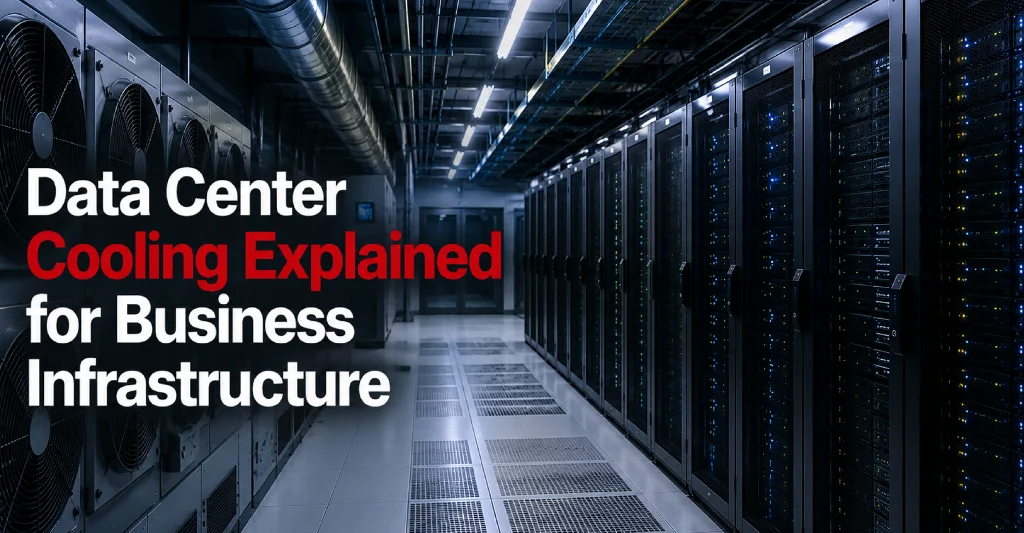
Cooling is one of the most important parts of a reliable data center environment. Servers, storage systems, firewalls, switches, and other IT equipment generate heat while operating. If that heat is not managed properly, equipment can slow down, shut down, or fail.
For businesses running infrastructure in an office server room, cooling is often a major limitation. Standard office air conditioning is not designed to support dense IT equipment, continuous heat output, or high-availability infrastructure.
A professional data center is designed to manage heat through dedicated cooling systems, airflow planning, environmental monitoring, and redundancy.
For businesses evaluating colocation, data center hosting, private cages, or disaster recovery infrastructure, understanding data center cooling helps assess the reliability of the facility.
What Is Data Center Cooling?
Data center cooling refers to the systems and processes used to control temperature, airflow, and humidity inside a data center.
The purpose is to keep IT equipment operating within safe environmental conditions.
Cooling may include:
- Dedicated cooling units
- Airflow management
- Hot aisle and cold aisle design
- Temperature monitoring
- Humidity control
- Redundant cooling capacity
- Environmental sensors
- Preventive maintenance
- Rack layout planning
- Containment systems
Cooling is not only about making the room cold. It is about moving heat away from equipment efficiently and maintaining a stable environment.
Why Cooling Matters in a Data Center
IT equipment is designed to operate within specific temperature ranges. When equipment gets too hot, performance and reliability can suffer.
Poor cooling can lead to:
- Server shutdowns
- Hardware failures
- Reduced equipment lifespan
- Storage issues
- Network instability
- Application downtime
- Backup failures
- Emergency maintenance
- Increased business risk
Heat can also make small issues worse. A server that is already under heavy load may become unstable if cooling is inadequate. A storage system may experience errors. A network device may fail during a traffic spike.
Cooling supports uptime because equipment must remain within safe operating conditions to stay available.
Cooling in Office Server Rooms vs Data Centers
Many businesses begin with servers in an office closet, IT room, or small server room. That setup may work temporarily, but it often becomes unreliable as infrastructure grows.
Office server rooms may have problems such as:
- Standard air conditioning not designed for IT loads
- Poor airflow
- No cooling redundancy
- Limited temperature monitoring
- Hot spots near equipment
- Dust and environmental exposure
- No humidity control
- Cooling tied to building schedules
- Lack of backup power for cooling systems
A data center is different. It is purpose-built to support infrastructure continuously. Cooling systems are designed around equipment heat output, airflow direction, rack density, and uptime requirements.
This is one reason businesses move infrastructure into colocation services or hosting environments.
How Data Center Cooling Works
Data center cooling works by removing heat generated by IT equipment and supplying cooler air where equipment needs it.
At a basic level:
- Servers pull in cooler air.
- Internal fans move air through the equipment.
- Equipment exhausts warm air.
- Cooling systems remove or redirect the warm air.
- The environment is monitored to maintain stable conditions.
The exact design may vary by facility, but the goal is always the same: keep equipment within safe operating limits while avoiding hot spots and airflow problems.
Hot Aisle and Cold Aisle Design
Hot aisle and cold aisle design is a common data center cooling strategy.
In this layout, server racks are arranged so that the front sides of racks face each other in cold aisles, while the backs of racks face each other in hot aisles.
Servers generally pull cool air from the front and exhaust warm air from the back. By separating cold intake air from hot exhaust air, the data center can cool equipment more efficiently.
This design helps:
- Reduce hot air recirculation
- Improve cooling efficiency
- Support better airflow
- Make temperature monitoring easier
- Improve equipment reliability
For businesses using colocation, rack layout and equipment placement should follow the facility’s airflow design.
Airflow Management
Airflow management is critical for data center cooling.
Even if a facility has strong cooling systems, poor airflow can still create hot spots.
Airflow problems may happen when:
- Racks are overloaded
- Cables block ventilation
- Equipment is installed incorrectly
- Blank spaces are left open in racks
- Hot and cold air mix
- High-density equipment is placed without planning
- Cabinets are not arranged properly
Good airflow management helps ensure that cool air reaches the front of equipment and warm air is removed properly. Businesses should consider airflow when planning rack space, private cages and suites services, or when evaluating a private cage vs private suite setup.
Temperature Monitoring
A professional data center should monitor temperature continuously.
Temperature sensors help detect problems early, such as hot spots, cooling unit issues, blocked airflow, or equipment generating unusual heat.
Monitoring may include:
- Room-level temperature tracking
- Rack-level temperature tracking
- Hot aisle and cold aisle monitoring
- Alerts for temperature changes
- Environmental reporting
- Cooling system monitoring
Temperature monitoring helps the data center team respond before an issue affects customer equipment. For businesses with critical infrastructure, environmental monitoring is an important part of data center uptime and redundancy planning.
Humidity Control
Cooling is not only about temperature. Humidity also matters.
If the humidity is too low, the risk of static electricity can increase. If humidity is too high, condensation and equipment damage may become a concern.
A data center should maintain environmental conditions that support safe equipment operation.
Businesses should ask whether the facility monitors and controls humidity, especially if they are hosting critical infrastructure, regulated systems, or sensitive equipment.
Cooling Redundancy
Cooling redundancy means the data center has backup cooling capacity if part of the cooling system fails or requires maintenance.
This is important because cooling systems need to operate continuously. If cooling is interrupted, equipment temperatures can rise quickly.
Cooling redundancy may include:
- Multiple cooling units
- Extra cooling capacity
- Redundant fans or components
- Backup power for cooling systems
- Environmental monitoring
- Maintenance procedures
- Emergency response plans
Cooling redundancy helps support uptime by reducing the risk that one cooling problem affects the entire environment.
Cooling and Power Redundancy Work Together
Cooling and power are closely connected.
Cooling systems require power. If utility power fails, the data center needs backup power not only for servers but also for cooling infrastructure.
A strong facility should consider both power and cooling together.
Businesses should ask:
- Are cooling systems supported by backup power?
- What happens to cooling during a utility outage?
- Are cooling systems included in facility monitoring?
- Is there redundant cooling capacity?
- How are cooling alerts handled?
- Are maintenance events communicated?
Evaluating what is power redundancy in a data center without looking at cooling redundancy is not enough for a reliable infrastructure environment.
Cooling for Colocation Customers
Colocation customers place their own equipment inside a data center. The facility provides the environment, including power, cooling, physical security, and connectivity solutions.
Cooling matters in colocation because customer equipment can vary widely. Some businesses may use a few standard servers. Others may use dense storage systems, high-performance computing equipment, or network-heavy infrastructure.
Colocation customers should review:
- Rack power density
- Equipment heat output
- Airflow direction
- Cabinet layout
- Cable management
- Blank panels
- Future expansion
- Private cage cooling requirements
- Environmental monitoring
- Cooling redundancy
A good colocation plan considers both current infrastructure and future growth, helping you determine how much rack space does your business need.
Cooling for Private Cages and Suites
Private cages and suites often contain larger infrastructure environments. These spaces may support enterprise systems, healthcare applications, financial services platforms, manufacturing operations, or multi-location networks.
Cooling design is especially important in private environments because equipment density may be higher.
Businesses using private cages or suites should consider:
- Total heat load
- Rack density
- Airflow design
- Cooling capacity
- Growth space
- Equipment placement
- Cable routing
- Power and cooling alignment
- Environmental monitoring
- Access and maintenance procedures
As infrastructure expands, cooling should be planned alongside rack space and power, particularly when deciding when to move from shared rack to private cage.
Cooling and Equipment Lifespan
Reliable cooling can help protect equipment over time.
Excessive heat can place stress on servers, drives, power supplies, processors, and network components. Even if equipment does not fail immediately, long-term exposure to poor environmental conditions can reduce reliability.
Good cooling supports:
- Better equipment stability
- Lower hardware failure risk
- Longer equipment lifespan
- More predictable performance
- Reduced emergency maintenance
- Better infrastructure planning
For businesses that own their equipment, protecting hardware investment is another reason to choose a properly cooled data center infrastructure.
Cooling and Application Performance
Poor cooling can affect application performance indirectly.
If servers become too hot, they may reduce performance to protect hardware. This can lead to slower applications, delayed processing, failed workloads, or unstable systems.
For businesses running customer portals, ERP systems, healthcare applications, financial tools, or manufacturing systems, performance matters.
Cooling helps maintain the physical conditions needed for stable application performance.
Cooling and Business Continuity
Business continuity depends on keeping systems available during expected and unexpected events.
Cooling plays a role in business continuity because infrastructure cannot remain reliable if environmental conditions are unstable.
A strong data center cooling strategy helps reduce the risk of:
- Overheating
- Equipment failure
- Emergency shutdowns
- Extended downtime
- Hardware replacement delays
- Recovery complications
Cooling should be considered alongside power, connectivity, backup, disaster recovery solutions, and remote hands support.
Cooling and Disaster Recovery
A disaster recovery environment must be able to operate when needed. That means it needs reliable power, connectivity, security, and cooling.
If backup infrastructure is located in an environment with weak cooling, recovery may be unreliable.
Businesses should ask:
- Where are disaster recovery systems hosted?
- Is the recovery environment properly cooled?
- Are cooling systems monitored?
- Is cooling supported by backup power?
- Is there cooling redundancy?
- Are environmental alerts reviewed?
Disaster recovery planning should include the physical infrastructure needed to run systems during an interruption.
Common Data Center Cooling Problems
Cooling problems can happen when infrastructure is not planned properly.
Common issues include:
- Hot spots inside racks
- Poor cable management
- Blocked airflow
- Overloaded cabinets
- Inadequate cooling capacity
- Lack of cooling redundancy
- No environmental monitoring
- Cooling maintenance without proper planning
- Mixing hot and cold air
- Equipment installed against airflow design
Many of these issues can be avoided through proper facility design and careful customer planning.
Questions Businesses Should Ask About Data Center Cooling
Before choosing a data center provider, businesses should ask:
- What type of cooling systems does the facility use?
- How is temperature monitored?
- Is humidity monitored and controlled?
- Is cooling available continuously?
- Is there cooling redundancy?
- Are cooling systems supported by backup power?
- How are hot spots detected?
- How is airflow managed?
- Are hot aisle and cold aisle layouts used?
- How is cooling capacity planned for growth?
- What happens during cooling maintenance?
- Are customers notified of environmental issues?
- How does cooling support private cages or suites?
- What environmental monitoring is available?
These questions help businesses understand whether the facility can support their infrastructure reliably.
Data Center Cooling Checklist
When evaluating a data center, review:
- Dedicated cooling systems
- Temperature monitoring
- Humidity control
- Hot aisle and cold aisle design
- Airflow management
- Cooling redundancy
- Backup power for cooling systems
- Environmental alerts
- Rack density planning
- Cable management standards
- Hot spot detection
- Maintenance procedures
- Cooling capacity for growth
- Private cage cooling support
- SLA or facility commitments
- Incident communication process
This checklist helps businesses evaluate cooling as part of overall data center reliability.
Why Cooling Should Be Part of Provider Evaluation
Businesses often focus on cost, location, rack space, and connectivity when choosing a data center. These factors are important, but cooling should not be overlooked.
Cooling affects uptime, equipment health, application stability, and long-term infrastructure performance.
A facility with weak cooling can create risk even if other parts of the service appear strong.
When comparing providers, businesses should evaluate cooling alongside:
- Power redundancy
- Network redundancy
- Physical security
- remote hands support
- Disaster recovery options
- SLA commitments
- Expansion capacity
A reliable data center environment should be designed to support infrastructure continuously, which is why regional data centers matter for distributed performance.
Plan a More Reliable Infrastructure Environment With Sierra Data Centers
Sierra Data Centers supports businesses with secure colocation, data center hosting, private infrastructure options, carrier-neutral connectivity, remote hands support, and disaster recovery planning.
For organizations moving from office server rooms, expanding into private cages, or improving infrastructure reliability, cooling is a critical part of the facility decision. Whether you require localized support at our Columbus data center or our Pittsburgh data center, our industry-specific infrastructure solutions are tailored to scale.
If your business is planning a move into a professional data center environment, please contact us to learn how we can help you build a more reliable foundation.