Choosing a hosting provider is a decision that can impact your business for years. The right provider can improve reliability, support growth, strengthen security, and reduce operational risk. The wrong provider can lead to downtime, performance issues, costly migrations, and unexpected expenses.
Unfortunately, many organizations focus primarily on pricing when evaluating hosting solutions. While cost is important, infrastructure quality, support capabilities, security, and scalability often have a much greater impact on long-term success.
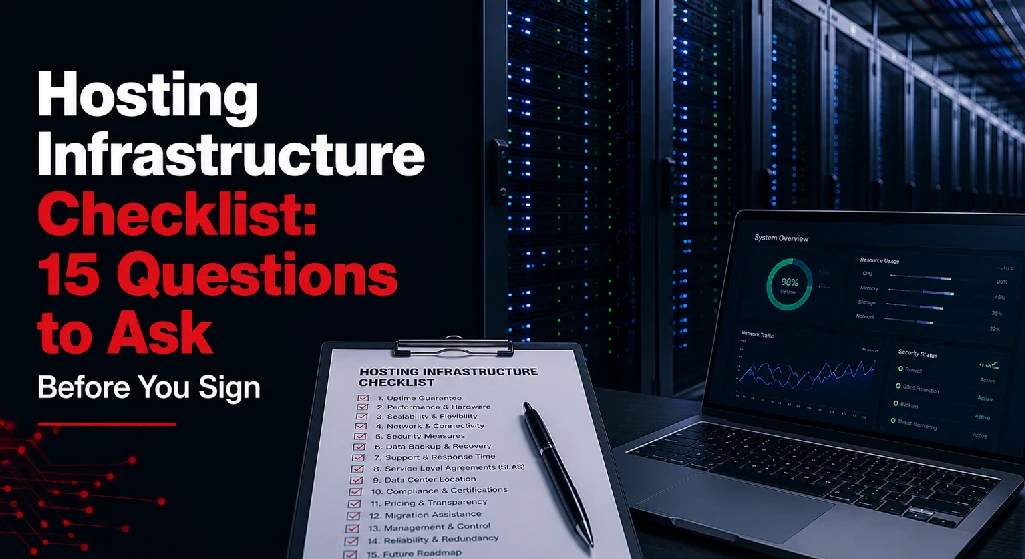
Before signing a contract, use this hosting infrastructure checklist to evaluate potential providers and ensure you’re selecting a solution that aligns with your business goals.
Why Infrastructure Evaluation Matters
Your hosting environment supports the systems that keep your business running.
This may include:
- Websites
- Business applications
- Databases
- Customer portals
- File storage
- Virtual servers
- Disaster recovery systems
A provider’s infrastructure directly affects:
- Uptime
- Performance
- Security
- Business continuity
- Customer experience
If you’re still evaluating infrastructure models, it’s helpful to understand the fundamentals of data center hosting and how professional hosting environments support business-critical workloads.
The following questions can help uncover strengths, weaknesses, and potential risks before making a commitment.
Facility Security
Physical security is often overlooked during the evaluation process.
However, protecting infrastructure starts with protecting the facility itself.
1. What Physical Security Measures Protect the Facility?
Look for:
- Controlled access points
- Visitor management procedures
- Security checkpoints
- Locked equipment areas
- Restricted access zones
A professional facility should have multiple layers of physical protection. Understanding what makes a secure hosting environment can help you evaluate whether a provider’s security controls meet your requirements.
2. Is the Facility Monitored 24/7?
Ask whether the provider maintains:
- Continuous monitoring
- On-site security personnel
- Incident response procedures
- Access logging systems
Around-the-clock visibility helps reduce operational risk.
3. How Is Customer Equipment Protected?
Depending on your requirements, ask whether the facility offers:
- Locked cabinets
- Dedicated racks
- Private cages
- Secure suites
Additional physical separation can improve both security and compliance readiness.
Power Redundancy
Power interruptions remain one of the most common causes of downtime.
A quality provider should have multiple layers of power protection.
4. What Happens If Utility Power Fails?
Ask whether the facility includes:
- Backup generators
- Automatic transfer systems
- Fuel reserves
- Generator testing procedures
A reliable facility should continue operating during utility outages.
5. Are UPS Systems in Place?
Uninterruptible Power Supplies (UPS) help bridge the gap between utility failures and generator activation.
Ask about:
- UPS redundancy
- Maintenance schedules
- Testing frequency
Power infrastructure should be designed to eliminate single points of failure.
When evaluating providers, these reliability factors should be part of your broader hosting provider evaluation process.
Cooling Infrastructure
Servers generate significant heat, making cooling critical to infrastructure reliability.
6. How Is Cooling Redundancy Designed?
Questions to ask include:
- Are cooling systems redundant?
- What happens if a cooling unit fails?
- How is airflow managed?
A facility should be able to maintain safe operating temperatures even during equipment failures.
7. How Is the Environment Monitored?
Look for continuous monitoring of:
- Temperature
- Humidity
- Air quality
- Environmental conditions
Proactive monitoring helps prevent outages before they occur.
Connectivity Options
Network connectivity is just as important as power and cooling.
Without reliable connectivity, critical applications become unavailable.
8. Is the Facility Carrier-Neutral?
Carrier-neutral facilities allow businesses to choose from multiple network providers.
Benefits include:
- Greater flexibility
- Improved redundancy
- Reduced vendor lock-in
- Better pricing leverage
Carrier diversity is often a major advantage for growing organizations.
9. What Network Redundancy Exists?
Ask about:
- Multiple carrier paths
- Redundant switches and routers
- Automatic failover capabilities
- Diverse network entrances
Strong network redundancy supports business continuity.
10. Can Connectivity Scale With Growth?
Your bandwidth requirements may increase over time.
Make sure the provider can support:
- Higher bandwidth demands
- Additional carriers
- Private network connections
- Cloud connectivity options
Scalability should be built into the infrastructure strategy.
Organizations considering cloud integration should also review colocation vs cloud hosting to understand how connectivity requirements differ between infrastructure models.
Compliance Certifications
Compliance requirements vary by industry, but they often influence provider selection.
11. Which Certifications and Audits Does the Facility Maintain?
Depending on your business, relevant certifications may include:
- SOC audits
- HIPAA-supporting environments
- PCI-related controls
- Industry-specific compliance programs
Providers should clearly explain how their infrastructure supports compliance objectives.
12. Can the Provider Support Regulatory Requirements?
Ask whether the facility has experience supporting organizations in industries such as:
- Healthcare
- Financial services
- Manufacturing
- Government
- Technology
Industry experience often translates into smoother compliance processes.
Large organizations often place significant emphasis on compliance and risk management when selecting providers. Reviewing how enterprises evaluate hosting providers can provide additional insight into these requirements.
Remote Support
Many organizations cannot send personnel to a facility every time a hardware issue occurs.
Remote support services can be extremely valuable.
13. What Remote Hands Services Are Available?
Ask about support for:
- Equipment reboots
- Hardware replacement
- Cable management
- Physical troubleshooting
- Installation assistance
Understanding available services can prevent surprises later.
14. Is Support Available 24/7?
Technical issues don’t follow business hours.
A provider should offer:
- 24/7 support availability
- Defined response times
- Escalation procedures
- Experienced technical personnel
Reliable support is often just as important as reliable infrastructure.
Organizations comparing infrastructure management responsibilities may also benefit from reviewing managed hosting vs colocation and dedicated hosting vs colocation.
Scalability and Contract Terms
The infrastructure you need today may look very different in three years.
15. Can the Environment Scale Without Major Disruption?
Ask how easily the provider can support:
- Additional compute resources
- More storage capacity
- Increased bandwidth
- Expanded hosting services
- Future disaster recovery requirements
Growth should not require a complete infrastructure redesign.
Providers offering comprehensive data center solutions are often better positioned to support changing business requirements over time.
Contract Questions You Should Also Ask
Before signing, make sure you understand:
Service Level Agreements (SLAs)
- What uptime guarantees are provided?
- How are outages measured?
- What remedies exist if targets are missed?
Contract Length
- What is the initial contract term?
- Are renewal terms flexible?
- Are there early termination penalties?
Pricing Transparency
- Are all fees clearly documented?
- Are power and bandwidth charges predictable?
- What additional services incur extra costs?
Upgrade Flexibility
- How are future upgrades handled?
- Can services be expanded without renegotiating the entire agreement?
Clear contract terms help prevent unexpected expenses and operational challenges later.
Quick Hosting Infrastructure Checklist
Before signing with any provider, make sure you can confidently answer:
- Is the facility secure?
- Is power fully redundant?
- Are cooling systems redundant?
- Is the network carrier-neutral?
- Does the facility offer network redundancy?
- Are compliance requirements supported?
- Is remote support available?
- Is support available 24/7?
- Can infrastructure scale with growth?
- Are contract terms transparent?
If any of these areas remain unclear, continue asking questions.
Final Thoughts
Choosing a hosting provider is about much more than finding available server space. You’re selecting a long-term infrastructure partner that will support critical business operations, applications, and data.
By evaluating facility security, power redundancy, cooling systems, connectivity options, compliance capabilities, support services, scalability, and contract terms, organizations can make more informed decisions and reduce infrastructure risk.
Before signing any agreement, use this hosting infrastructure checklist as a framework for evaluating providers. The answers you receive will often reveal more about the quality of a provider than any marketing brochure ever could.
A strong hosting environment should not only meet your needs today—it should support your business as it grows, evolves, and faces new challenges in the future.
If you’re evaluating hosting infrastructure, exploring Sierra Data Centers’ hosting and data center solutions or contacting the team can help you better understand which infrastructure model aligns with your organization’s requirements.