Moving business infrastructure from one environment to another is not just a technical relocation. It is a high-impact operational project that can affect uptime, application performance, security, compliance, customer access, and internal productivity.
Whether your organization is moving from an on-premise server room to a colocation facility, shifting equipment into a private cage, consolidating infrastructure after business growth, or relocating workloads to a more reliable data center environment, the migration needs careful planning.
A successful data center migration starts long before any server is moved. Businesses need to understand what they have, what depends on it, what risks exist, and what must remain available during the transition.
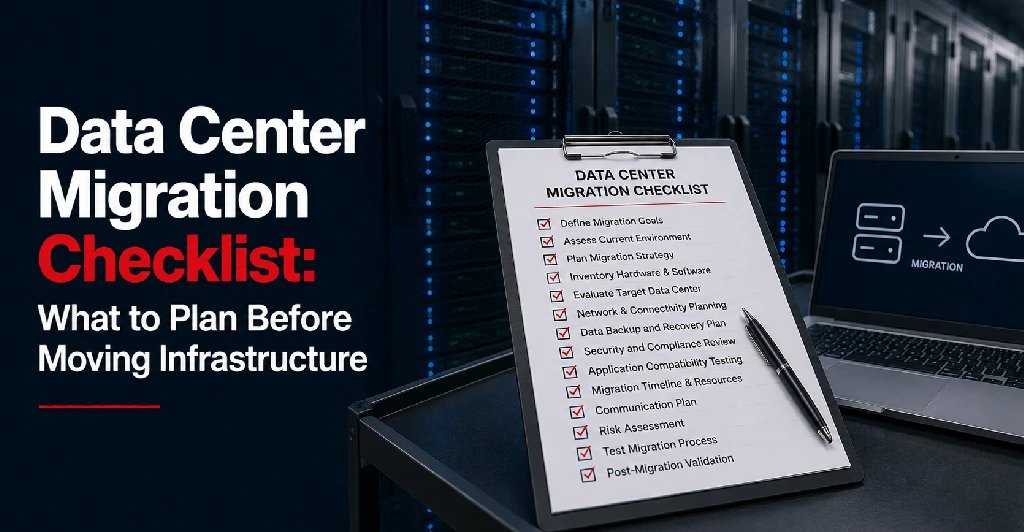
This data center migration checklist explains what businesses should plan before moving infrastructure.
Why Data Center Migration Planning Matters
A poorly planned migration can lead to downtime, lost data, broken application dependencies, unexpected connectivity issues, compliance gaps, and business disruption.
Many companies underestimate the complexity of their infrastructure because systems have often grown over time. Servers, storage, applications, databases, firewalls, backups, user access, and vendor tools may all be connected in ways that are not fully documented.
Before moving infrastructure, businesses need a clear migration plan that answers several important questions:
- What equipment and workloads are being moved?
- Which systems are business-critical?
- What applications depend on each other?
- How much downtime can the business tolerate?
- What connectivity is required at the new location?
- Who is responsible for each migration step?
- How will systems be tested after the move?
- What is the rollback plan if something does not work?
The goal is not simply to move infrastructure. The goal is to move it safely, securely, and with minimal disruption.
1. Define the Reason for the Migration
Before building the technical plan, define why the migration is happening.
Common reasons include:
- Moving out of an aging server room
- Reducing on-premise infrastructure risk
- Gaining better power, cooling, and physical security
- Supporting business growth
- Improving disaster recovery readiness
- Moving into a colocation or private cage environment
- Consolidating infrastructure after expansion or acquisition
- Improving connectivity and carrier access
The reason for the migration will influence the project scope.
For example, a business moving because of uptime concerns may prioritize redundancy and backup power. A healthcare or financial services company may prioritize compliance, security controls, and access documentation. A multi-location business may focus heavily on connectivity and network performance.
2. Create a Complete Infrastructure Inventory
A data center migration should begin with a detailed inventory of all infrastructure being moved or affected.
This should include:
- Physical servers
- Virtual machines
- Storage systems
- Firewalls and routers
- Switches and network equipment
- Backup appliances
- Power requirements
- Rack space requirements
- Cabling requirements
- IP addresses
- Software licenses
- Databases
- Applications
- Monitoring tools
- Vendor-managed systems
This inventory helps prevent surprises during the migration. It also helps the business understand how much rack space, power, cooling, bandwidth, and support will be needed at the new facility.
For colocation migrations, this step is especially important because the business needs to know how many cabinets, racks, private cages, or suites may be required.
3. Map Application and System Dependencies
One of the most common data center migration mistakes is moving systems without fully understanding their dependencies.
An application may rely on a database server, authentication system, storage device, backup server, third-party tool, or internal network connection. If one dependent system is unavailable, the application may fail even if the main server is working.
Before migration, document:
- Which applications run on which servers
- Which databases support each application
- Which systems must be moved together
- Which systems can be migrated separately
- Which users or departments rely on each application
- Which third-party vendors need access
- Which services must remain online during the move
Dependency mapping helps determine the migration sequence. It also reduces the risk of broken services after the move.
4. Identify Business-Critical Systems
Not every system has the same level of importance.
Some systems may be essential for customer transactions, patient records, financial operations, manufacturing workflows, internal communication, or security monitoring. Others may be less urgent and can tolerate a longer migration window.
Classify systems by priority:
- Mission-critical systems
- Important business systems
- Internal support systems
- Low-priority or archival systems
This helps your team decide what needs the most protection, what should be migrated first, and what requires immediate testing after the move.
It also helps define realistic downtime expectations.
5. Define Downtime Tolerance
Every migration plan should include downtime expectations.
Some businesses can tolerate a planned maintenance window. Others need near-continuous availability. The acceptable downtime depends on the business, industry, application, and customer expectations.
Before migration, define:
- Maximum acceptable downtime
- Best migration window
- Systems that must remain available
- Internal teams affected by downtime
- Customers or users who need advance notice
- Communication plan during the migration
- Escalation process if downtime exceeds expectations
For many businesses, migration should be scheduled during low-traffic hours, weekends, or planned maintenance periods. However, the right window depends on how the business operates.
RELATED: 7 Common Disaster Recovery Mistakes That Increase Downtime
6. Review Power, Cooling, and Rack Requirements
Before moving equipment into a data center, confirm the physical infrastructure requirements.
This includes:
- Number of racks or cabinets needed
- Power draw per rack
- Redundant power requirements
- Equipment depth and cabinet fit
- Cooling requirements
- Cabling layout
- Power distribution needs
- Future expansion capacity
A migration should not only solve today’s infrastructure problem. It should also support future growth. If a business is already close to capacity, it may need additional rack space, a private cage, or a more scalable data center hosting setup.
Planning for growth now can help avoid another migration later.
7. Plan Network and Connectivity Requirements
Connectivity is one of the most important parts of a data center migration.
Before moving infrastructure, confirm:
- Internet bandwidth requirements
- Carrier preferences
- Cross-connect needs
- VPN requirements
- Firewall configuration
- IP address changes
- DNS updates
- Private network connections
- Cloud connectivity needs
- Redundant connectivity options
If the new data center is carrier-neutral, the business may have more flexibility to choose from multiple network providers. This can improve redundancy, pricing options, and long-term connectivity solutions.
Connectivity planning should happen early because circuits, cross-connects, and provider coordination can take time.
8. Review Security and Compliance Requirements
Security should be built into the migration plan from the beginning.
Businesses should review:
- Physical access controls
- Visitor and vendor access procedures
- Security camera coverage
- Cabinet, cage, or suite access
- Firewall rules
- Encryption requirements
- Backup security
- Compliance requirements
- Audit documentation
- User access permissions
- Remote access controls
For regulated industries such as healthcare, financial services, manufacturing, or enterprise IT, compliance requirements may influence the choice of facility, documentation, access process, and infrastructure design.
The migration should not weaken existing security controls. Ideally, it should improve them.
9. Confirm Backup and Disaster Recovery Readiness
Before any infrastructure move, backups should be reviewed, tested, and verified.
This includes:
- Confirming recent backups exist
- Testing backup restoration
- Identifying where backups are stored
- Reviewing off-site backup availability
- Confirming disaster recovery systems
- Documenting recovery procedures
- Defining rollback steps
A migration plan should always include a recovery option. If something goes wrong during the move, the business needs to know how systems can be restored or rolled back.
Organizations should also review their overall disaster recovery strategy before relocating critical infrastructure.
RELATED: Disaster Recovery Planning Checklist: A Step-by-Step Guide for Business Continuity
10. Create a Step-by-Step Migration Timeline
A data center migration needs a clear timeline.
The timeline should include:
- Pre-migration planning
- Infrastructure inventory
- Vendor coordination
- Connectivity setup
- Backup verification
- Equipment preparation
- Labeling and documentation
- Physical move schedule
- Installation at the new facility
- Network configuration
- Application testing
- User testing
- Monitoring period
- Final sign-off
Each step should have a responsible person or team. This prevents confusion during the migration window and makes it easier to resolve issues quickly.
11. Label Equipment and Document Everything
Good documentation can make or break a migration.
Before moving equipment, label:
- Servers
- Storage devices
- Network equipment
- Power connections
- Cables
- Rack positions
- Ports
- Firewalls
- Switches
Documentation should include current-state and future-state diagrams. This helps the team understand how everything is connected before and after the move.
Without proper labeling, teams may lose valuable time during installation and troubleshooting.
12. Coordinate Vendors and Internal Teams
A migration may involve more than the internal IT team.
Depending on the project, you may need coordination with:
- Data center provider
- Internet carriers
- Hardware vendors
- Software vendors
- Managed IT provider
- Security team
- Compliance team
- Application owners
- Department leaders
- Executive stakeholders
Each party should know its role before the migration begins.
If you’re working with a third-party facility, reviewing questions to ask before signing with a data center can help avoid unexpected issues during planning.
13. Test Before, During, and After Migration
Testing should not wait until the end.
Pre-migration testing helps confirm that backups, network plans, and configurations are ready. During migration, teams should validate each major step. After migration, systems should be tested before the project is considered complete.
Post-migration testing should include:
- Server availability
- Application access
- Database connections
- User login
- Internet connectivity
- VPN access
- Firewall rules
- Backup jobs
- Monitoring tools
- Performance checks
- Security controls
Testing should be documented so the business knows what was verified and when.
14. Prepare a Communication Plan
Even when a migration is technical, communication is essential.
Your plan should define:
- Who needs to be informed
- When will users be notified
- What downtime should be expected
- Who will provide status updates
- How issues will be escalated
- When the migration is complete
- Who signs off after testing
Clear communication reduces confusion and helps business teams plan around the migration window.
15. Plan for Post-Migration Monitoring
The migration is not finished when the equipment is installed.
After the move, systems should be monitored closely for performance, errors, connectivity issues, backup failures, and user access problems.
Post-migration monitoring may include:
- Server health
- Network latency
- Bandwidth usage
- Application performance
- Storage performance
- Backup completion
- Security alerts
- Power usage
- User support tickets
This monitoring period helps catch issues early and gives the business confidence that the new environment is stable.
Data Center Migration Checklist
Before moving infrastructure, businesses should confirm the following:
- The infrastructure inventory is complete
- Application dependencies are mapped
- Critical systems are identified
- Downtime tolerance is defined
- Rack, power, and cooling needs are confirmed
- Connectivity requirements are planned
- Carrier and cross-connect needs are reviewed
- Security requirements are documented
- Compliance needs are addressed
- Backups are verified and tested
- The disaster recovery plan is reviewed
- Migration timeline is finalized
- Equipment is labeled
- Vendors are coordinated
- Internal roles are assigned
- Communication plan is ready
- Testing plan is documented
- Rollback plan is prepared
- Post-migration monitoring is scheduled
This checklist helps reduce risk and gives the business a clearer path to a controlled migration.
Should You Move to a Colocation or Data Center Hosting Environment?
For many businesses, migration becomes necessary when on-premise infrastructure is no longer reliable, secure, or scalable enough.
A professional data center hosting environment can provide:
- Better power redundancy
- Stronger physical security
- Improved cooling
- Carrier-neutral connectivity
- Scalable rack or cage options
- Disaster recovery support
- Remote hands support
- Better infrastructure reliability
Businesses that rely on aging server rooms, limited office connectivity, or inconsistent backup power may benefit from moving infrastructure into a purpose-built data center facility.
If you’re still evaluating providers, this guide on how to choose a data center provider can help you compare your options.
Plan Your Data Center Migration With Sierra Data Centers
A data center migration should be planned carefully, especially when uptime, security, compliance, and business continuity are involved.
Sierra Data Centers supports businesses with secure colocation, data center hosting, private infrastructure options, connectivity solutions, and disaster recovery planning. Whether your organization is moving from on-premise infrastructure, expanding into a private cage, or evaluating a more resilient hosting environment, the right planning can make the transition smoother and safer.
If your business is preparing to move infrastructure, contact our team to evaluate your requirements and plan the next step.