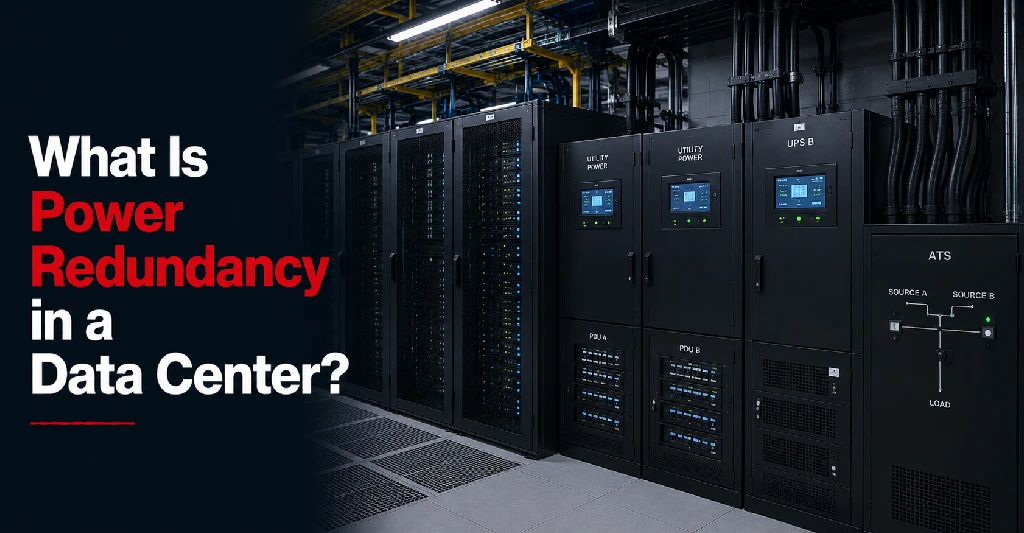
Power is one of the most important parts of data center reliability. Servers, storage systems, network equipment, firewalls, cooling systems, and monitoring tools all depend on continuous power to remain available.
When business infrastructure is hosted in an office server room, power is often one of the biggest risks. A utility outage, overloaded circuit, failed power supply, or lack of backup power can interrupt operations quickly.
A professional data center is designed to reduce this risk through power redundancy.
Data center power redundancy means there are backup power systems, alternate power paths, and supporting infrastructure in place so that if one power source or component fails, another can continue supporting the environment.
For businesses evaluating colocation, data center hosting, private cages, or disaster recovery infrastructure, understanding power redundancy is essential.
What Does Power Redundancy Mean in a Data Center?
Power redundancy means a data center has more than one way to deliver power to critical systems.
Instead of relying on a single utility connection or single power path, redundant data center power design may include:
- Utility power
- Uninterruptible power supply systems
- Backup generators
- Battery systems
- Redundant power distribution
- Multiple power feeds
- Dual power paths
- Transfer switches
- Power monitoring systems
- Preventive maintenance procedures
The goal is to prevent a single power issue from causing infrastructure downtime.
If utility power is interrupted, backup systems should support the facility. If one power component has a problem, another path or system may continue delivering power.
Power redundancy is one of the main reasons businesses move infrastructure from office environments into professional data center infrastructure.
Why Power Redundancy Matters
Power interruptions can affect business operations immediately.
If servers lose power, the impact may include:
- Application downtime
- Lost employee access
- Interrupted customer services
- Failed transactions
- Database corruption
- Damaged hardware
- Backup failures
- Security monitoring gaps
- Manufacturing disruption
- Healthcare workflow interruptions
- Financial reporting delays
Even a short power event can create longer recovery work if systems shut down improperly.
Power redundancy helps reduce this risk by keeping critical infrastructure powered during utility interruptions, maintenance events, or equipment failures.
For businesses that depend on uptime, power redundancy is not just a technical feature. It is part of business continuity planning.
Power Redundancy vs Backup Power
Power redundancy and backup power are closely related, but they are not exactly the same.
Backup power usually refers to systems that provide electricity when the main power source fails. This may include batteries, UPS systems, or generators.
Power redundancy is broader. It includes backup power, but it also includes alternate paths, duplicated components, monitoring, and design choices that reduce single points of failure.
For example, a generator may provide backup power, but if the facility has only one power distribution path to the rack, there may still be risk. True redundancy looks at the full chain from the incoming power source to the equipment using the power.
Main Components of Data Center Power Redundancy
A reliable data center power system usually includes multiple layers.
These layers work together to keep the environment stable during normal operations, utility outages, maintenance, and unexpected events.
Common components include:
- Utility power feeds
- UPS systems
- Battery backup
- Backup generators
- Automatic transfer systems
- Power distribution units
- Redundant circuits
- Rack-level power feeds
- Monitoring and alerting systems
Each component supports a different part of the power path.
Utility Power
Utility power is the primary power source for most data centers.
A data center may receive power from the local utility grid. Some facilities may have access to multiple utility feeds or diversified power paths, depending on location and design.
Businesses should ask:
- How does the facility receive utility power?
- Are there multiple power feeds?
- Is utility power monitored?
- How often are power systems tested?
- What happens if utility power fails?
Utility power is important, but it should not be the only layer of protection for critical infrastructure.
UPS Systems
UPS stands for uninterruptible power supply.
A UPS system provides temporary power when utility power is interrupted or unstable. It helps bridge the gap between a utility power issue and generator startup.
UPS systems are important because generators may take a short amount of time to activate and stabilize. During that transition, the UPS helps keep equipment running without interruption.
A UPS may also help protect equipment from power fluctuations, voltage drops, and brief power events.
Businesses should ask whether the data center has UPS systems, how they are maintained, and how they are tested.
Battery Backup
Battery systems are commonly part of the UPS environment.
They provide immediate short-term power support when the primary power source changes or fails.
Battery backup is not usually intended to run the data center for long periods by itself. Instead, it supports continuity during the transition to generator power or while power stabilizes.
Important questions include:
- How much battery runtime is available?
- How are batteries monitored?
- How often are batteries tested?
- How are aging batteries replaced?
- Are battery systems redundant?
Battery health matters because weak or poorly maintained batteries can reduce the effectiveness of the UPS system.
Backup Generators
Backup generators provide longer-duration power during utility outages.
When utility power fails, generators can support the data center for extended periods, depending on fuel availability, capacity, and maintenance practices.
Businesses should ask:
- Does the facility have backup generators?
- Are generators tested regularly?
- Is there enough generator capacity for the facility load?
- What fuel source is used?
- How is fuel supply managed?
- Are fuel contracts in place?
- Are generators maintained under a documented schedule?
- Is generator performance monitored?
Generators are a major part of data center power resilience, especially in regions where storms, grid issues, or local outages can affect utility service.
Automatic Transfer Systems
Automatic transfer systems help shift power from one source to another when needed.
For example, if utility power fails, transfer systems may help move the facility load to generator power.
The goal is to make this transition as smooth as possible so that critical infrastructure continues operating.
Transfer systems should be maintained and tested because they are part of the power continuity chain.
Power Distribution
Power redundancy does not stop at the generator or UPS.
Power must be distributed safely and reliably throughout the facility and into customer racks, cabinets, cages, or suites.
Power distribution may include:
- Electrical switchgear
- Distribution panels
- Power distribution units
- Rack-level PDUs
- Circuit monitoring
- Redundant power feeds
- Separate power paths
Businesses should understand how power reaches their equipment. This is especially important for colocation customers because the customer’s own infrastructure design affects the final level of redundancy.
A and B Power Feeds
Many data centers offer A and B power feeds.
This means equipment can receive power from two separate power paths. If one path is interrupted, the other may continue supporting the equipment.
A and B feeds are most effective when the customer’s equipment has dual power supplies.
For example:
- A server with dual power supplies can connect one power supply to the A feed and the other to the B feed.
- A network switch with dual power inputs can also use separate power feeds.
- A single-power device may need additional planning, such as an automatic transfer switch.
Businesses using colocation should ask how A and B power are delivered and whether their equipment is designed to use both feeds.
N, N+1, 2N, and 2N+1 Redundancy
Data center power redundancy is often described using terms such as N, N+1, 2N, and 2N+1.
These terms explain how much backup capacity exists.
N means the facility has the amount of power infrastructure needed to support the required load. There may not be extra backup capacity.
N+1 means the facility has the required capacity plus one additional backup component. If one component fails or needs maintenance, the extra component can help support the load.
2N means the facility has a fully duplicated power system. There are two independent systems, each capable of supporting the required load.
2N+1 means the facility has two full systems plus additional backup capacity.
Businesses do not always need to know every engineering detail, but they should understand what level of redundancy is being offered and whether it matches their risk tolerance.
Customer Equipment Matters Too
A data center can provide redundant power systems, but customer equipment also needs to be designed properly.
For example, if a facility offers dual power feeds but the customer uses servers with only one power supply, the equipment may not fully benefit from the redundancy.
Businesses should review:
- Whether servers have dual power supplies
- Whether firewalls and switches support dual power
- Whether storage systems have redundant power
- Whether rack PDUs are configured properly
- Whether power loads are balanced
- Whether single-power devices need transfer equipment
- Whether critical systems need high availability
Power redundancy is a shared design consideration. The data center provides the facility-side infrastructure, but the customer’s equipment choices affect the final result.
Power Redundancy for Colocation
Power redundancy is especially important in colocation environments.
In colocation, the business owns or controls its own equipment while using the data center’s facility environment. The data center provides power, cooling, rack space, security, and connectivity solutions.
Colocation customers should ask:
- What power options are available per rack?
- Are A and B feeds available?
- How is power usage measured?
- How much power can each cabinet support?
- Can additional power be added later?
- What happens during power maintenance?
- Are power systems monitored continuously?
- Are remote hands available during power events?
These questions help businesses understand whether the facility can support both current needs and future growth.
Power Redundancy for Private Cages and Suites
Private cages and suites often support larger or more sensitive infrastructure environments.
For private cage and suite environments, power planning should include:
These may include enterprise systems, healthcare infrastructure, financial services platforms, manufacturing applications, or multi-location business networks.
For private cage and suite environments, power planning should include:
- Total power capacity
- Redundant circuits
- Growth requirements
- Equipment density
- Cooling alignment
- Separate power paths
- Power monitoring
- Access controls
- Maintenance procedures
- Emergency response process
As infrastructure grows, power design becomes more important. A private environment should be planned with enough capacity and redundancy to support long-term use.
Power Redundancy and Cooling
Power redundancy and cooling are closely connected.
If power fails, cooling systems may also be affected. If cooling is interrupted, equipment may overheat even if servers still have power.
A reliable data center should plan redundancy across both power and data center cooling systems.
Businesses should ask:
- Are cooling systems connected to backup power?
- Is cooling capacity redundant?
- Are temperature and humidity monitored?
- What happens during a utility outage?
- How are environmental alerts handled?
- Are maintenance windows communicated?
Power continuity without cooling continuity is not enough for reliable infrastructure.
Power Redundancy and Business Continuity
Power redundancy supports business continuity by reducing the risk of infrastructure downtime caused by electrical issues.
This is especially important for businesses that rely on:
- Customer-facing applications
- Healthcare systems
- Financial platforms
- Manufacturing operations
- ERP systems
- Remote workforce access
- Multi-location networks
- Data backup and recovery systems
- Security monitoring tools
A strong business continuity plan should consider how infrastructure remains powered during utility outages, facility events, maintenance, and hardware failures.
Power redundancy is one part of that larger strategy.
Power Redundancy and Disaster Recovery
Disaster recovery planning often focuses on backups, replication, and recovery procedures. But power availability is also important.
If the primary infrastructure environment loses power, systems may become unavailable. If backup infrastructure is located in a professional data center with redundant power, recovery may be more reliable.
Businesses should ask:
- Where are disaster recovery systems hosted?
- Does the recovery site have redundant power?
- Are backups stored in a secure data center?
- Can recovery systems operate during a regional outage?
- Is connectivity also redundant?
- Are recovery procedures tested?
Disaster recovery depends on more than having a copy of data. The recovery environment must also have the power, cooling, connectivity, and support needed to run systems when they are needed most.
Power Monitoring and Maintenance
Redundant power systems must be monitored and maintained.
A data center should have processes for:
- Monitoring power loads
- Detecting abnormal conditions
- Testing UPS systems
- Testing generators
- Inspecting batteries
- Maintaining switchgear
- Reviewing power capacity
- Planning maintenance windows
- Communicating power-related events
Maintenance helps ensure power systems work when needed. Businesses should ask how maintenance is handled and whether it can be performed without interrupting customer infrastructure.
What Businesses Should Ask About Data Center Power Redundancy
Before choosing a data center provider, ask:
- What level of power redundancy does the facility provide?
- Are UPS systems in place?
- Are backup generators available?
- How often are generators tested?
- How is battery health monitored?
- Are A and B power feeds available?
- How is power delivered to racks or cages?
- Can customer equipment use dual power feeds?
- How is power usage measured?
- How much power capacity is available for growth?
- Are cooling systems supported by backup power?
- How are power events communicated?
- What does the data center SLA say about power availability?
- What happens during planned power maintenance?
- Are remote hands support options available during emergencies?
These questions help businesses evaluate whether the provider’s power design matches their uptime needs.
Data Center Power Redundancy Checklist
When reviewing power redundancy, businesses should confirm:
- Utility power design is understood
- UPS systems are in place
- Battery systems are tested and monitored
- Backup generators are available
- Generator fuel planning is documented
- Automatic transfer systems are maintained
- Redundant power paths are available
- A and B feeds are offered
- Rack-level power requirements are confirmed
- Customer equipment supports redundant power
- Power loads are monitored
- Cooling systems are protected
- Maintenance procedures are clear
- Power-related SLA terms are reviewed
- The emergency response process is documented
- Future power growth is considered
This checklist helps businesses make a more informed decision when comparing colocation or hosting providers.
Why Power Redundancy Should Be Part of Provider Evaluation
Businesses should not evaluate a data center only by price, location, or available rack space. Whether looking at a regional facility like a Columbus data center or a Pittsburgh data center, geographic positioning must align with robust power grids.
Power design is one of the most important indicators of reliability. A lower-cost environment with limited redundancy may create greater risk if infrastructure is critical to daily operations.
When comparing providers, businesses should consider:
- How important uptime is to the organization
- How much downtime would cost
- Whether systems are customer-facing
- Whether compliance is involved
- Whether operations depend on continuous access
- Whether disaster recovery is required
- Whether future growth will require more power
The right power design should match the business risk.
Plan Reliable Infrastructure With Sierra Data Centers
Sierra Data Centers supports businesses with secure colocation services, data center hosting services, private cages and suites services, carrier-neutral connectivity solutions, remote hands support, and disaster recovery solutions.
For organizations moving from office server rooms, expanding into private cages, or planning more resilient infrastructure, power redundancy is a critical part of the decision.
Sierra Data Centers can help businesses evaluate rack power needs, connectivity requirements, uptime goals, and long-term infrastructure planning.
If your business is reviewing colocation or hosting options, Sierra Data Centers can help you plan a more reliable data center environment.